
Before you drop thousands on a golf simulator, you need to lock down three critical specs that most people ignore until it's too late. Your room needs minimum dimensions of 12 feet deep, 10 feet wide, and 8 feet tall, but 15-16 feet deep is way better for comfort. You'll want a short-throw projector with at least 3,000 lumens and a 0.4:1 to 0.8:1 throw ratio. The important point is: you absolutely need a Windows 11 PC with 32GB RAM and an Nvidia RTX 4070 Ti graphics card, because Macs won't cut it for most simulation software. Stick around to uncover the placement mistakes that'll wreck your setup.
Setting up a golf simulator starts with one critical decision: figuring out if your space is actually big enough to swing a club without destroying your ceiling or putting a driver-shaped hole in the wall.
Here's the thing: you'll need at least 12 feet deep, 9-10 feet wide, and 8 feet tall. That's your bare minimum, though you'll be nervous swinging drivers with an 8-foot ceiling. For comfortable practice without holding back, bump those numbers to 15-16 feet deep, 10-12 feet wide, and 9 feet tall.
Want the gold standard? Go 18-20 feet deep, 14-15 feet wide, and 10 feet high. This setup gives you buffer space behind the screen (1-1.5 feet matters!), accommodates left and right-handed players, and supports those massive widescreen displays without cramping your swing. A short throw ratio between 0.69 and 0.89 helps maximize your available space by reducing the distance needed between the projector and screen. Don't forget to account for hitting mats, adding 2-3 inches to your floor height when testing ceiling clearance with practice swings.

Once you've confirmed your room fits a simulator, your next headache is figuring out exactly where to mount or place your launch monitor, because putting it in the wrong spot means garbage data or, worse, a $3,000 paperweight.
Camera-based units like Square Golf sit beside your ball, needing just 10 feet from tee to screen with no extra space behind you. You'll place the ball 15 inches from the unit, and the important factor, direct sunlight kills their accuracy completely. The device can run on a built-in battery for up to 8 hours, eliminating the need for nearby power outlets during your sessions.
Overhead models mount 9-10.5 feet high but vary in placement. The EYE XO goes 3.5 feet in front of your tee, while the Foresight Falcon needs 4 feet at 9.5-10.5 feet height. A ceiling height of 9' is the minimum recommended for most golfers to swing comfortably without restriction.
Your ideal setup? Stand 10-12 feet from the screen with 18 feet total depth.
Your $15,000 simulator is worthless if you can't see the image properly, and choosing the wrong projector turns your crisp fairways into a washed-out mess that makes Pebble Beach look like a parking lot.
Here's the thing, short throw projectors are transformative for golf setups. You need a throw ratio between 0.4:1 and 0.8:1, which basically means distance divided by screen width. A 10-foot wide screen with a 0.5 throw ratio only needs 5 feet of space, preventing your shadow from blocking the image during your swing.
For brightness, start at 3,000 lumens minimum. Anything less, and you'll squint at dim greens. If your garage has windows, bump it to 4,000-5,000 lumens. Larger screens demand even more brightness to maintain image clarity and contrast across the entire surface.
Match your projector's aspect ratio to your screen; 4:3 works best because it captures ball flight vertically without cutting off your stance. Ceiling-mounted installation is the ideal positioning for short-throw projectors, as it dramatically reduces the risk of shadow interference during your swing.
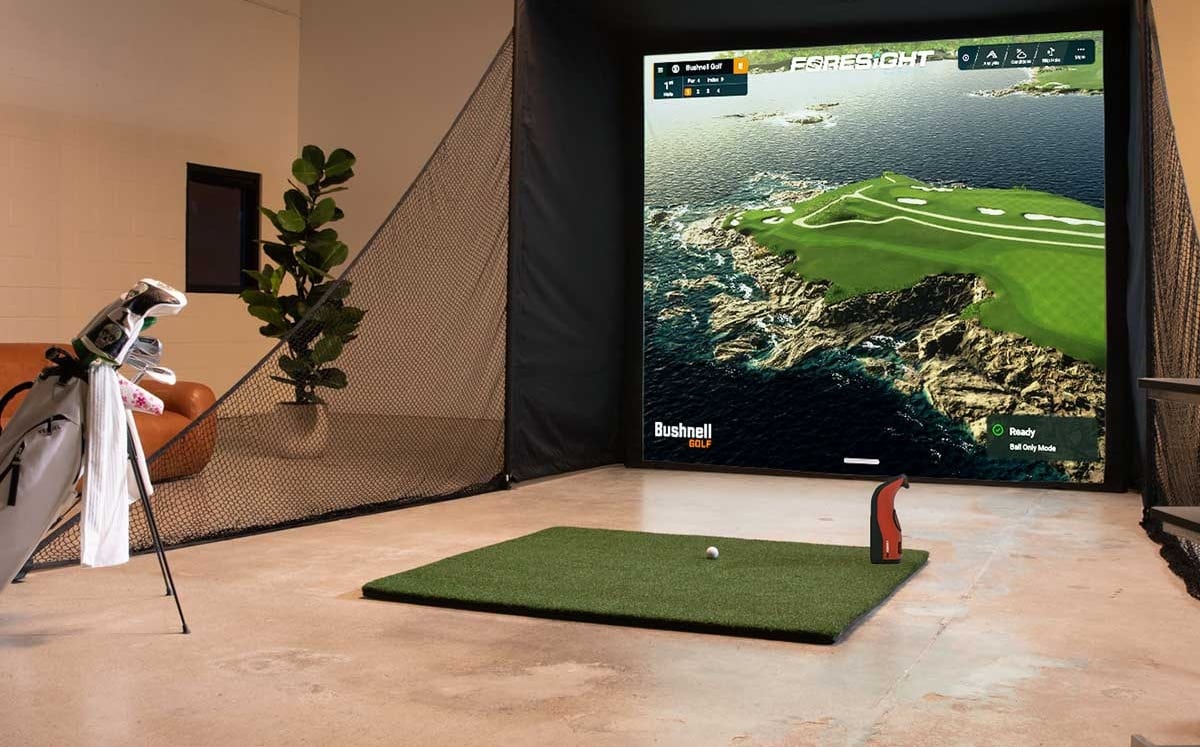
While you might think any decent computer can handle golf simulation software, the reality is that skimping on specs will leave you watching slide shows instead of smooth swings. You'll need Windows 11 (64-bit) for systems like Trackman 4, and the key point is, Macs won't work at all with GSPro or E6 Connect.
For RAM, 32GB isn't overkill; it's crucial for 4K setups. Think of it like this: 16GB handles basic tasks, but 32GB prevents those annoying frame drops when you're running multiple cameras and swing analysis simultaneously.
Your CPU matters too. Trackman requires Intel i7 processors at 3.4 GHz minimum, no AMD support. For graphics, you'll want an Nvidia RTX 4070 Ti or better, since integrated graphics simply can't deliver. Specifically, avoid Intel Iris Xe graphics cards as TPS doesn't support them. Don't forget that your graphics card must match your projector's resolution capabilities to avoid compatibility issues with your display setup.
If you're staring at an 8.5-foot ceiling wondering whether you can squeeze in a golf simulator, the reality is, it's absolutely possible, but you'll need to be strategic about club selection and equipment placement. The key point is: if you're under 6 feet tall, you'll have considerably more flexibility. Test your swing height with a driver in slow motion before buying anything; this tells you exactly what clearance you actually need. Consider limiting yourself to irons and wedges, which require less vertical space than drivers. For equipment, choose floor-based camera launch monitors positioned near the ball rather than overhead units. Install a short-throw projector close to your screen, and add foam padding where your follow-through might contact the ceiling. Strategically adjust your flooring to maximize the ceiling height relative to your impact zone, which can gain you several valuable inches. Analyze your swing plane characteristics to determine whether your natural swing path is more vertical or flatter, as this will dictate your specific height requirements.

You'll want foam tiles or premium gym mats as your foundation; they cost around $6 per 4 square feet and absorb shock to protect your joints. The important point is: raised platforms using 2x4s with plywood work great because they're level and hide cables. If you're on concrete, you'll need foam underlayment that resists water. The key is getting your hitting mat flush with the surrounding turf, usually requiring 5/8" to 1 1/4" height adjustment.
Start by turning off Wi-Fi routers, smartphones, and Bluetooth devices near your setup; they're major culprits for EMI. Keep your launch monitor at least 8 feet from the ball and away from metal objects like garage doors. If you've got fans or heat pumps nearby, redirect their airflow. The point is: building a simple Faraday cage using chicken wire or metal screening can dramatically cut interference, improving accuracy from 10+ yards down to under 6 yards!
You'll face serious limitations using a Mac instead of Windows. Most top-tier simulator software like GSPro and TGC 2019 only runs on Windows, leaving Mac users with markedly fewer options. Your best workaround is using E6 CONNECT on an iPad with compatible launch monitors like SkyTrak or Mevo+. If you've got an M1 MacBook, Awesome Golf Simulator works natively, but you'll sacrifice course variety and graphics quality compared to Windows setups.
You'll want a 2mm polyester screen for moderate swing speeds, or upgrade to 3mm multi-layered material if you're swinging fast. For tension, aim for that sweet spot where a driver shot bounces back 1 to 3 feet, tight enough to stay taut without sagging, but with enough give to absorb impact. Too tight creates dangerous ricochets and that loud drum noise, while too loose accelerates wear and causes excessive bounce-back.
Professional installation typically adds $1,000 to $5,000 to your total cost, depending on complexity. You're looking at the higher end for commercial-grade setups. DIY saves you those fees, but you'll need solid technical skills and plenty of time. Entry-level DIY builds start around $8,000 total, while comparable professionally installed systems run $10,000 to $15,000. The trade-off? You save money, but invest your weekends instead.
Setting up a golf simulator isn't rocket science, but you'll need to get the details right from day one. Your room dimensions, projector specs, and computer requirements all work together; mess up one piece, and you're looking at frustrating do-overs. Take your time measuring everything twice, especially that ceiling height, and you'll be swinging away in your sim room way sooner than you think!

