
The MLM2PRO gives you more data, while the SC4 Pro gives you its numbers on its own screen with no phone needed. The MLM2PRO directly measures 8 of its 15 metrics, including spin and club path, but it’s a lot harder to get right indoors than outdoors. The SC4 Pro’s numbers lined up with a Foresight GCQuad on virtually every shot in independent indoor testing, and spin was the one number that drifted. Here’s the trade-off: the SC4 Pro sits about 5 feet behind the ball versus 6.5 to 8.5 feet for the MLM2PRO, plus the SC4 Pro has that handy built-in screen and remote. MLM2PRO requires special Callaway balls for spin data, though. Your choice boils down to whether you want measured spin, club path and swing video, or a unit that shows your numbers without a phone; both have their strengths depending on what matters most for your setup.
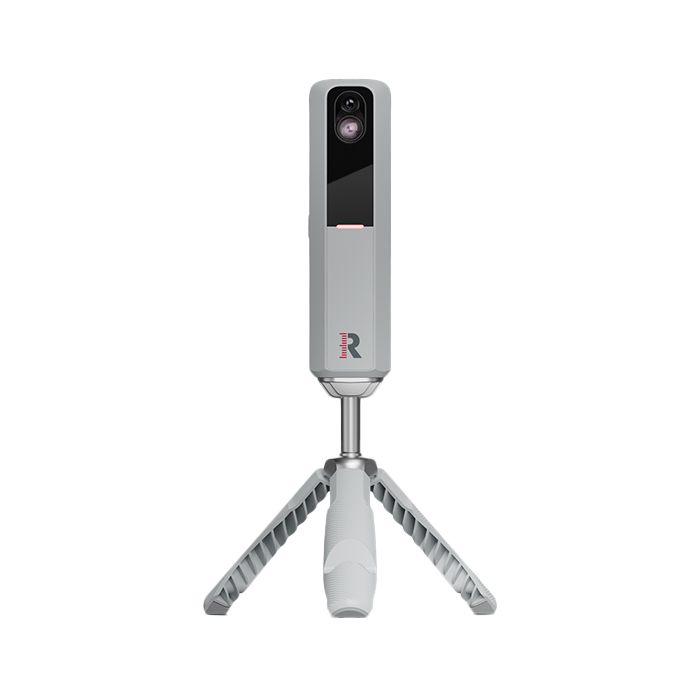
Improve your golf swing with the Rapsodo MLM2PRO Launch Monitor and Golf Simulator. Featuring dual cameras, precise metrics, and realistic simulation, practice anytime, anywhere. Get actionable insights to lower your handicap and play better golf.
| Spec | Rapsodo MLM2PRO | Swing Caddie SC4 Pro |
|---|---|---|
| Technology | Doppler radar plus two cameras | Doppler radar, ProMetrics engine |
| Listed metrics | 15 listed, 8 of them measured directly | 8 on the unit’s screen; back spin, side spin, spin axis and dispersion in the app |
| Screen | No screen on the unit; your phone or tablet is the display | Onboard display, readable indoors and outdoors |
| Remote | Runs from the app on your phone or tablet | Included; changes club, loft, volume and target distance |
| Spin | Measured with RPT-marked Titleist or Callaway balls; membership needed | Calculated from radar; no marked balls needed |
| Club data | Club path and attack angle; membership needed | Swing speed and smash factor; no club path or attack angle |
| Video | 240 fps Impact Vision (membership) plus a down-the-line Shot Vision replay | Swing recording with overlays in the Voice Caddie S app |
| Indoor accuracy | Dead on outdoors; indoors it’s sensitive to lighting, fans and alignment | In line with a Foresight GCQuad on virtually every shot indoors; spin drifted |
| Spot behind the ball | 6.5 to 8.5 ft; Rapsodo’s shared setup guide says 7.5 ft | About 5 ft |
| Total indoor depth | About 16 ft; 14.5 to 16.5 ft from device to net | About 16 ft |
| Battery | 2 to 4 hours | Up to 10 hours |
| Weight | 0.7 lb (300 g) | 20.79 oz |
| Carrying case | Included | Optional accessory, with an alignment plate |
| Simulator software | 30,000+ Rapsodo courses plus third-party apps; membership needed | E6 Connect and Optishot Orion; five E6 courses included |
| Your own data without a plan | Free Practice tier; measured spin, club data and courses need Core | Yes; no fee to see your own data |
| Warranty | 1-year limited; Rapsodo’s own pages differ on when it starts | 1-year limited; the remedy is a refund, and the unit goes back first |
| Release year | 2023 | 2024 |
Indoor Accuracy: How MLM2PRO and SC4 Pro Compare on Carry, Spin, and Launch
When you’re setting up a launch monitor in your garage or spare bedroom, the accuracy question becomes a whole lot more complicated than it does outdoors. The MLM2PRO is the fussier one indoors. It’s dead on outdoors, but indoors it can read short or miss shots unless the lighting, fans and alignment are right. Meanwhile, the SC4 Pro lined up with a Foresight GCQuad on virtually every shot in independent indoor testing.
Here’s where things get interesting: spin rates. The MLM2PRO needs those pricey Callaway RPT balls, $70 per dozen, to give you accurate spin data. The SC4 Pro calculates spin from its radar instead of measuring it, and spin was the one number that drifted against a GCQuad, so don’t expect it to match premium units like the Bushnell Launch Pro. Launch angles? Both give you one. It’s one of the eight numbers on the SC4 Pro’s own screen, and the MLM2PRO shows it in the app. The MLM2PRO features a dual camera system that works alongside radar for more precise ball flight tracking.
Space requirements matter considerably in indoor setups, with the SC4 Pro needing 24 inches less room behind the ball compared to the MLM2PRO.
MLM2PRO’s 15 Metrics Vs SC4 Pro’s Core Data: What Each Actually Tracks
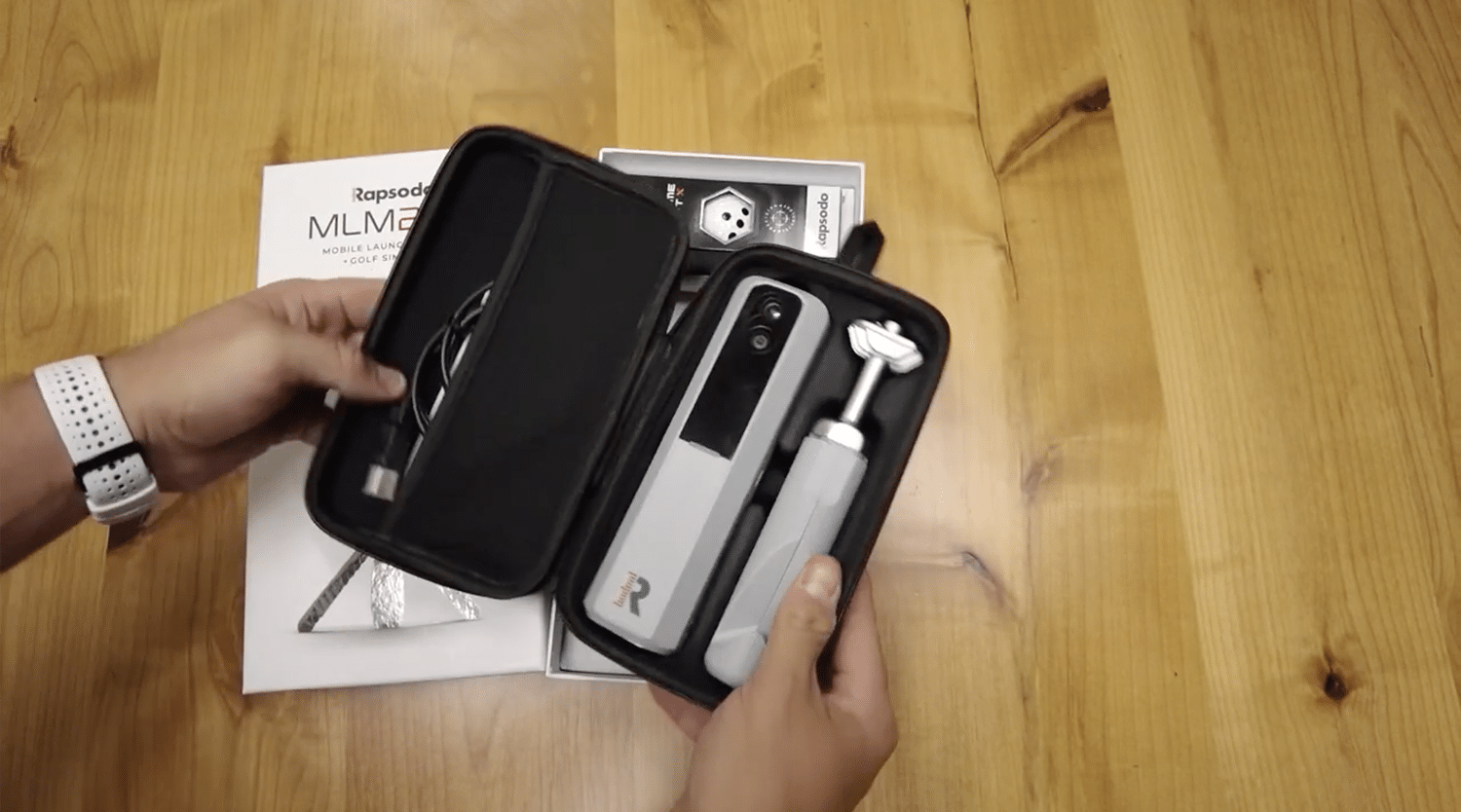
The MLM2PRO lists 15 metrics and the SC4 Pro puts 8 on its own screen, but the point is, they don’t measure everything the same way, and that matters more than you’d think. The MLM2PRO uses two cameras plus Doppler radar to directly measure 8 of its 15 metrics, including spin rate, spin axis, attack angle and club path. You’ll get carry, total distance, side carry, ball speed, club speed, smash factor, launch angle, launch direction, apex, descent angle, spin rate, spin axis, attack angle, club path and shot type. The SC4 Pro is radar only. It shows carry, launch direction, swing speed, ball speed, smash factor, launch angle, apex and spin rate on its screen, and it adds back spin, side spin, spin axis and dispersion in the app. It calculates spin instead of measuring it. Here’s the catch: the MLM2PRO needs those special Callaway RCT balls for its measured spin numbers, while the SC4 Pro doesn’t need special balls at all. The MLM2PRO includes real-time video playback for swing analysis alongside your shot data. The SC4 Pro works with E6 Connect and Optishot Orion, and Voice Caddie lists five E6 courses that come with it.
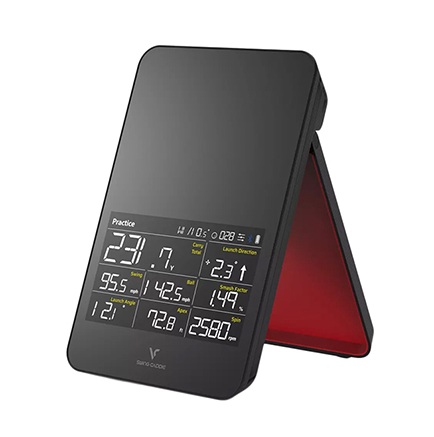
Voice Caddie SC4 Pro Launch Monitor offers pro-grade precision with Doppler Radar for exact ball and club data, perfect for indoor and outdoor golf practice.
Space Requirements: Which Launch Monitor Fits Your Indoor Setup?
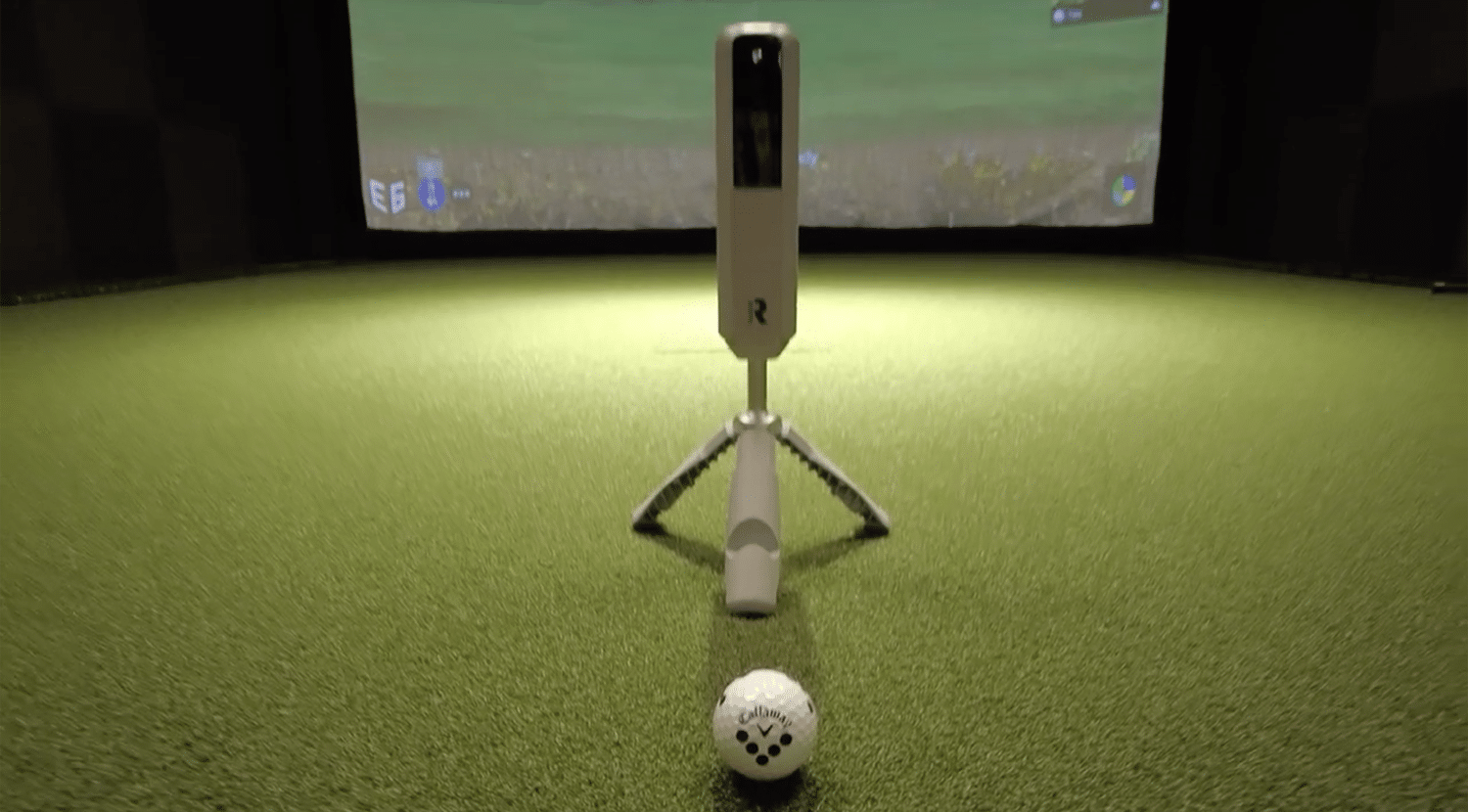
Your indoor golf setup demands one critical element before anything else: enough physical space to actually swing a club and track the ball. The MLM2Pro requires at least 14.5 feet of depth when you’re using net mode, with the device positioned 6.5-8.5 feet behind the ball and a minimum of 8 feet to your net. You’ll want 10 feet of width and ideally a 10-foot ceiling, though 9 feet works if you’re not exceptionally tall. The key point is that experienced users report needing about 16 feet total for comfortable operation. The SC4 Pro, meanwhile, sits about 5 feet behind the ball, but as a radar unit it still wants roughly 16 feet of total depth. Both units skip wall-mounting hassles, making garage or basement conversion straightforward. The MLM2Pro works with both indoor and outdoor configurations, giving you flexibility to move your setup between spaces. The compact Rapsodo unit fits easily in a golf bag for quick transport and storage. Neither requires permanent installation!

Portability and Remote Control: MLM2PRO App vs SC4 Pro All-in-One Design
Space concerns matter, but they’re only half the story if you’re constantly wrestling with your launch monitor just to check your numbers or change clubs.
The SC4 PRO gives you a built-in screen and lightweight remote that fits in your pocket. You’ll point, click, and change clubs without bending over or fumbling with your phone. It’s a one-piece design, and the remote stores in a magnetic slot behind the kickstand, so it’s ready the moment you set it down at the range.
The MLM2PRO takes a different route; it pairs with the Rapsodo app on your phone or tablet for everything. You’ll need to connect before each session, but you get 15 data points, swing video, and shot tracer in return.
Here’s the catch: the SC4 Pro carrying case is an optional accessory. Voice Caddie sells one, with an alignment plate, as a $49.99 add-on.
Simple Setup vs More Data: Choosing Between SC4 Pro and MLM2PRO
How much setup do you want to deal with, and how much data do you want from every swing? That’s the fundamental question here. The SC4 Pro sits about 5 feet behind the ball, while the MLM2PRO sits 6.5 to 8.5 feet back, but both rely on radar, so plan on roughly 16 feet of total depth either way. The point is: the SC4 Pro is the simpler one indoors. Against a GCQuad indoors, its numbers lined up on virtually every shot, and it shows them on its own screen. The MLM2PRO gives you more, with measured spin, club path, attack angle and swing video. It’s dead on outdoors, but indoors it’s fussy, and lighting, fans and alignment can throw it off. You’re choosing between a simple setup and more data. The MLM2PRO requires special Callaway or RCT balls for its measured spin, while the SC4 Pro calculates spin with any ball right out of the box.
Frequently Asked Questions
Can Either Launch Monitor Be Used Outdoors on the Driving Range?
Yes, both work great outdoors on the driving range! You’ll get solid data from either unit. The Rapsodo MLM2PRO delivers 15 metrics including spin rate if you’re using RPT balls, and it positions 6.5-8.5 feet behind your ball. The Swing Caddie SC4 Pro uses Doppler radar technology, works perfectly with regular range balls, and gives you voice output so you don’t need to constantly check your phone. Both handle outdoor conditions well!
What Is the Warranty Coverage for MLM2PRO and SC4 Pro?
The MLM2PRO comes with a solid one-year limited warranty that covers manufacturing defects. Rapsodo’s own pages don’t agree on whether it starts when you buy it or when you register it, so register it the day it arrives and keep your receipt. You’ll get repairs or replacements if something goes wrong due to defects, though normal wear and tear isn’t included. The SC4 Pro also carries a one-year limited warranty on defects in materials and workmanship. Here’s the catch: Voice Caddie’s remedy is a refund of what you paid, not a repair or replacement, and you have to send the unit back first.
Do These Launch Monitors Work With Left-Handed Golfers?
Yes, both launch monitors work perfectly with left-handed golfers! You won’t need any special adjustments or settings. The Rapsodo MLM2PRO’s dual cameras and the SC4 Pro’s Doppler radar both sit behind the ball and track flight regardless of which way you’re swinging. They both give you carry distance, ball speed and launch angle, equally well for lefties and righties. Just set them up behind your ball with proper spacing, and you’re good to go indoors!
What Is the Price Difference Between MLM2PRO and SC4 Pro?
The MLM2PRO costs around $699-$749, depending on where you buy it, but here’s the catch: you’ll need to add a subscription. The lifetime license runs $499-$500, bringing your total to about $1,200. Unfortunately, there’s no direct SC4 pricing available in the comparison data, so you’ll need to check retailers separately. The MLM2PRO dominates pricing discussions, but without SC4’s cost, we can’t give you an exact dollar difference.
Can Multiple Users Save Individual Profiles on Each Device?
On the MLM2PRO, yes. Rapsodo’s Core membership includes family profiles for up to two golfers, and Studios covers up to four. If you’re sharing the SC4 Pro with your family, check with Voice Caddie on profiles before you count on it.
Conclusion: Rapsodo MLM2Pro vs Swing Caddie SC4 Pro
Look, both monitors work indoors, but here’s the bottom line: grab the SC4 Pro if you want a no-fuss setup that shows your numbers on its own screen. You’ll get rock-solid carry and launch data without mounting cameras or fiddling with apps. But if you’re serious about spin rates and don’t mind the extra setup, the MLM2PRO’s 15 metrics, measured spin and swing video give you way more feedback to actually improve your game.

About the author
Paul Liberatore
Paul Liberatore is the founder of Golfers Authority and a former three-year golf gear contributor to Sports Illustrated. He tests golf equipment hands-on to help golfers make better buying decisions.