
The SC4 Pro puts your numbers on its own screen. The Garmin R10 puts them on your phone. Before you get buried in spin rates and simulator subscriptions, that’s the difference I’d think about first.
The Quick Verdict
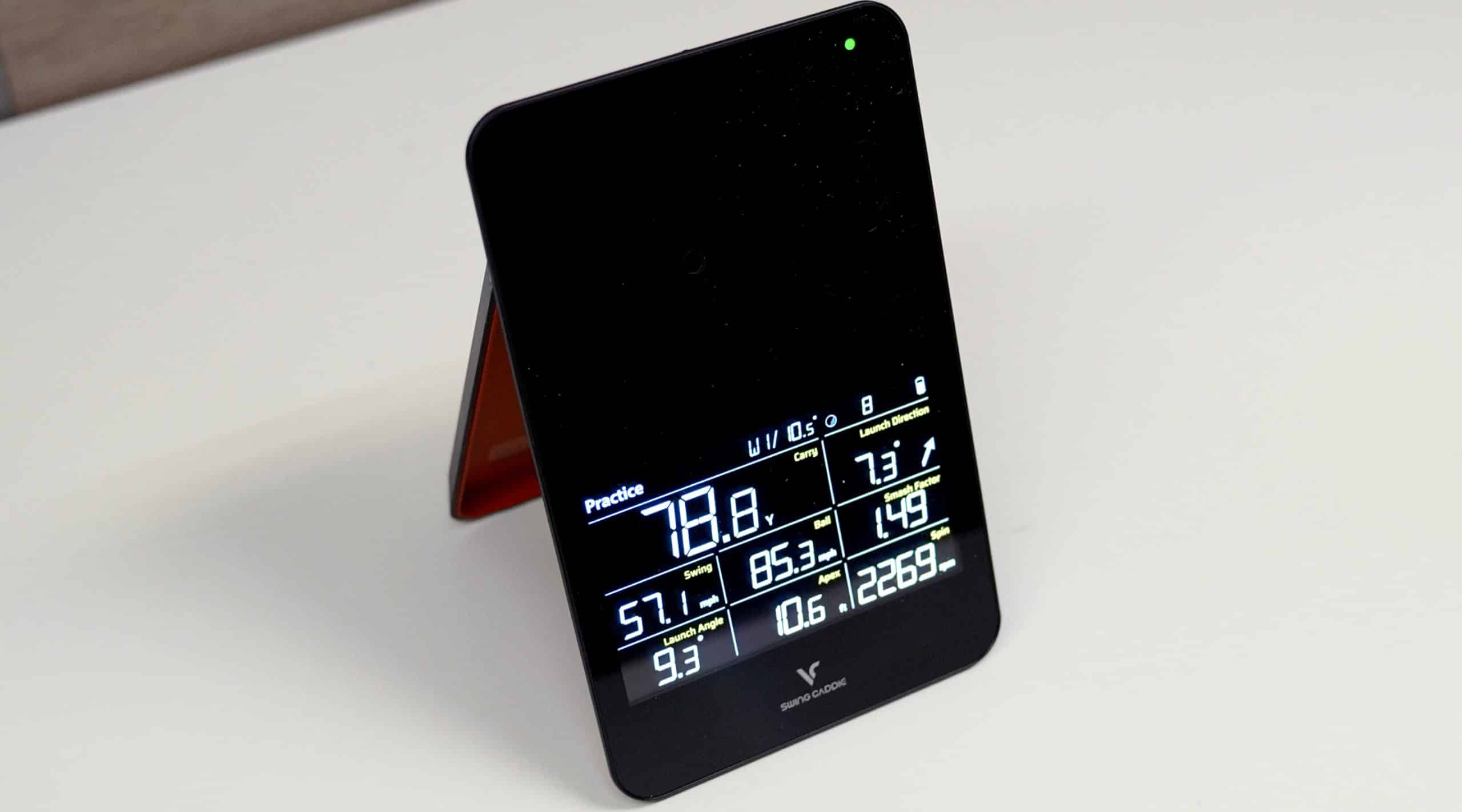
I’d buy the Swing Caddie SC4 Pro for straightforward range practice. Set it behind the ball, hit, and read your numbers off the display. You get a remote, carry distance, swing speed, ball speed, launch information, and a spin estimate without needing your phone or marked golf balls. The app is there when you want more, but you don’t have to open it just to find out how far that 7-iron went.
I’d buy the Garmin Approach R10 if club-delivery data matters more to you than having a screen on the unit. It reports club path, angle of attack, and a calculated face-angle estimate that the SC4 Pro doesn’t provide. It also gives you Garmin’s Home Tee Hero option for simulated rounds, with a subscription. You’re getting more information to work through, but you’re doing it through your phone. That trade makes sense if you’ll use the extra data.
Best for: Phone-free range practice
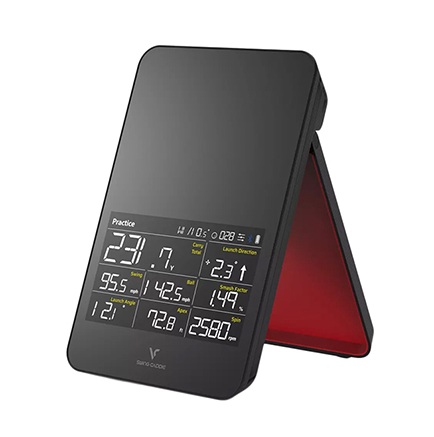
Voice Caddie SC4 Pro Launch Monitor offers pro-grade precision with Doppler Radar for exact ball and club data, perfect for indoor and outdoor golf practice.
Best for: App-based club data and Garmin simulation
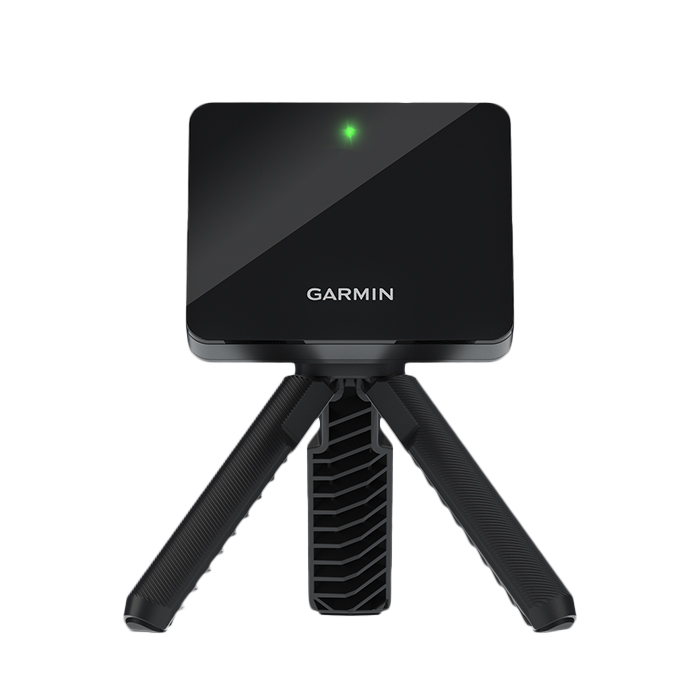
Experience advanced golf tracking with the Garmin Approach R10, a premium launch monitor delivering precise data and improving your game effortlessly.
The Same Problem, Two Ways to Practice
Both of these are for the golfer who wants to stop guessing about distances without spending thousands on a launch monitor.
You might know that you hit your 7-iron about 160. But is that carry or total? Is it what you hit most of the time, or the one you caught perfectly and have been remembering ever since? Getting a number after each shot helps you sort that out.
The question is how much more you want the device to do. Carry distance and ball speed might be enough to make your range sessions useful. If you’re working on how you deliver the club, you’ll want different information. And if the whole point is playing simulated golf in the garage, space and software matter just as much as the hardware.
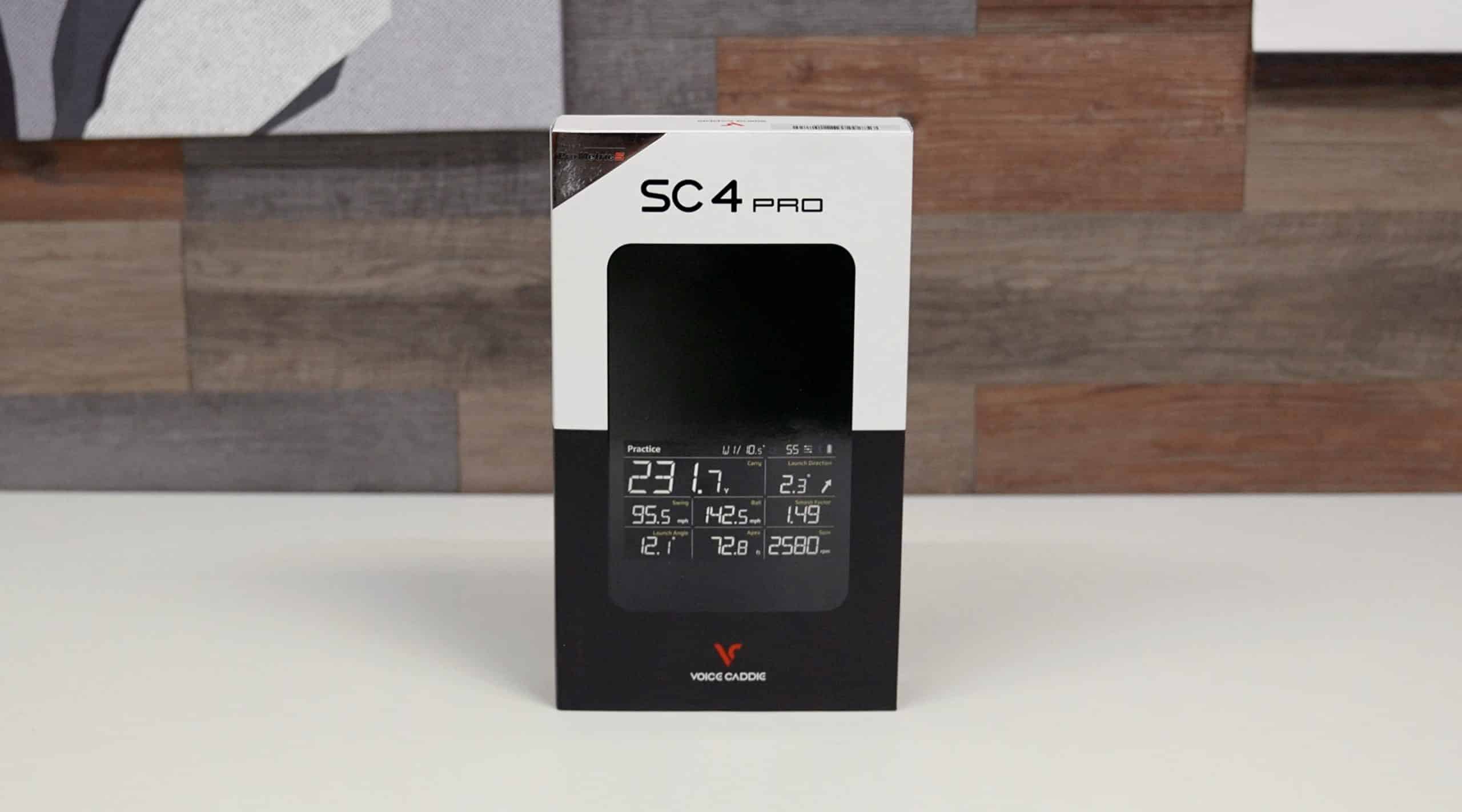
SC4 Pro vs Garmin R10 Side by Side
| Feature | Swing Caddie SC4 Pro | Garmin Approach R10 |
| Last verified price | $499.99, manufacturer capture November 11 | $499.99, checked October 17 |
| Technology | Doppler radar | Doppler radar |
| Phone needed for basic practice | No, numbers appear on the unit | Yes, uses a paired phone or tablet |
| Club path | Not provided | Reported |
| Face angle | Not provided | Calculated estimate |
| Angle of attack | Not provided | Reported |
| Spin | Calculated; no marked balls required | Supports measured total spin with Titleist RCT balls; spin axis calculated |
| Indoor depth | Approximately 16 feet total | At least 8 feet ball-to-net plus 6 to 8 feet device-to-ball, before swing clearance |
| Included simulation | Five complimentary E6 courses and a driving range | Home Tee Hero requires a Garmin Golf subscription |
| Basic practice subscription | None | None |
| Home Tee Hero membership | Not applicable | $9.99 monthly or $99.99 yearly |
| Remote | Included | App controls |
Those are the prices in the saved checks, so confirm the current offer before buying. The R10 price hasn’t been rechecked alongside the newer SC4 Pro listing.
What About the Original SC4?
The original Swing Caddie SC4 and the SC4 Pro are different products. The original already had a screen, spin data, and simulation support. Those features didn’t suddenly arrive with the Pro.
The original SC4 is now a legacy model. Voice Caddie’s checked US comparison lineup lists the SC4 Pro, SC300i, and SC200 Plus instead, and the original SC4 had no verified new-unit purchase route in the September availability check.
If you own the original, don’t read every SC4 Pro feature as something your unit does. My SC4 Pro vs SC4 comparison covers that upgrade decision. The buying comparison here focuses on the SC4 Pro and R10.
The Phone Question Settles This for a Lot of Buyers
The SC4 Pro lets you practice without running an app. That’s its biggest everyday advantage over the R10.
Put it roughly five feet behind the ball, on the same level and aligned to your target. Your carry distance and other numbers appear on its display. Change clubs with the remote instead of walking back to the unit. Your phone can stay in your pocket.
That sounds simple because it is simple. If you bought a launch monitor to work out your gaps, you don’t necessarily want another screen, another app, and another thing to charge just to get through a bucket.
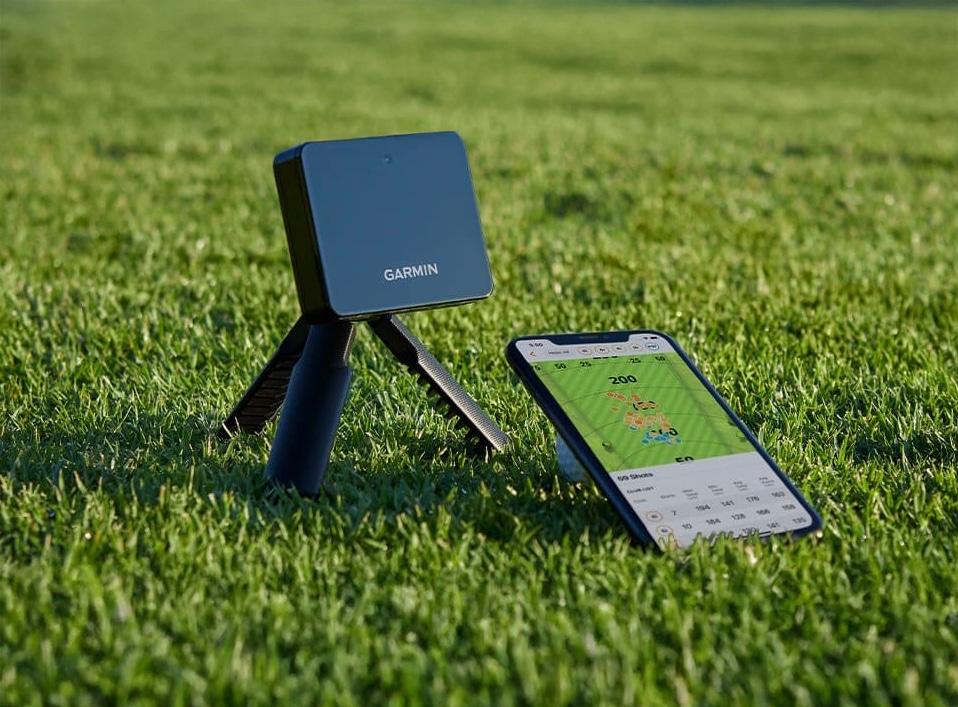
The R10 uses your phone or tablet as the display. The app is where you see the numbers and work through the data, so having a device running is part of the setup every time.
I wouldn’t call that a deal-breaker. If you want the R10’s club data or you’re setting up a simulator around a tablet, using an app makes sense. But if all you wanted was a carry number between shots, the SC4 Pro asks less of you.
The R10 Gives You Club Data the SC4 Pro Doesn’t
The Garmin R10 is the one to consider if you want club path, angle of attack, and a face-angle estimate.
The SC4 Pro gives you swing speed and smash factor, along with ball and flight information. It doesn’t give you club path, face angle, or angle of attack.
Here’s why that matters. A ball finishing right tells you where it went. Club-delivery numbers give you more information to work through when you’re trying to understand how it got there. That’s a different job from checking whether your 8-iron carries far enough to clear a bunker.
But don’t turn the R10’s longer data list into a promise that every number is directly measured. Its face-angle figure is calculated. It isn’t a camera looking at the club face at impact.
I’d treat those numbers as feedback to use alongside ball flight and instruction. If you’re mainly checking carry distances and gaps, you might never miss them. If they’re the reason you’re buying a launch monitor, they’re a real reason to choose the R10.
My SC4 Pro review and Garmin R10 review go deeper on the two units.
Both Report Spin, but They Don’t Get There the Same Way
The SC4 Pro reports calculated spin without marked balls. Garmin supports measured total spin with Titleist RCT balls, including indoors, while the R10’s spin axis is calculated.
The SC4 Pro shows spin rate on the unit. Its VoiceCaddie S app adds back spin, side spin, spin axis, and dispersion. You can use ordinary range balls without adding stickers to get its spin output.
That keeps the setup simple. It doesn’t make the spin estimate the same thing as directly measuring the ball’s rotation, and I wouldn’t buy it expecting that.
Titleist RCT balls have a radar-reflective marker built inside them. You aren’t sticking a dot on the outside of the ball. Garmin documents measured total spin with those balls, so it’s also wrong to lump all R10 spin information together as calculated.
What I wouldn’t do is pick either unit purely because it displays a spin number. Think about what you’ll use that number for. Tracking general practice feedback is one thing. Making detailed wedge or ball-fitting decisions is another. More numbers on the screen don’t automatically make the second job a good fit for either of these.
Measure Your Garage Before You Pick Either One
Both need room behind the ball and enough ball flight in front of it. The SC4 Pro’s screen doesn’t get you out of the space requirement.
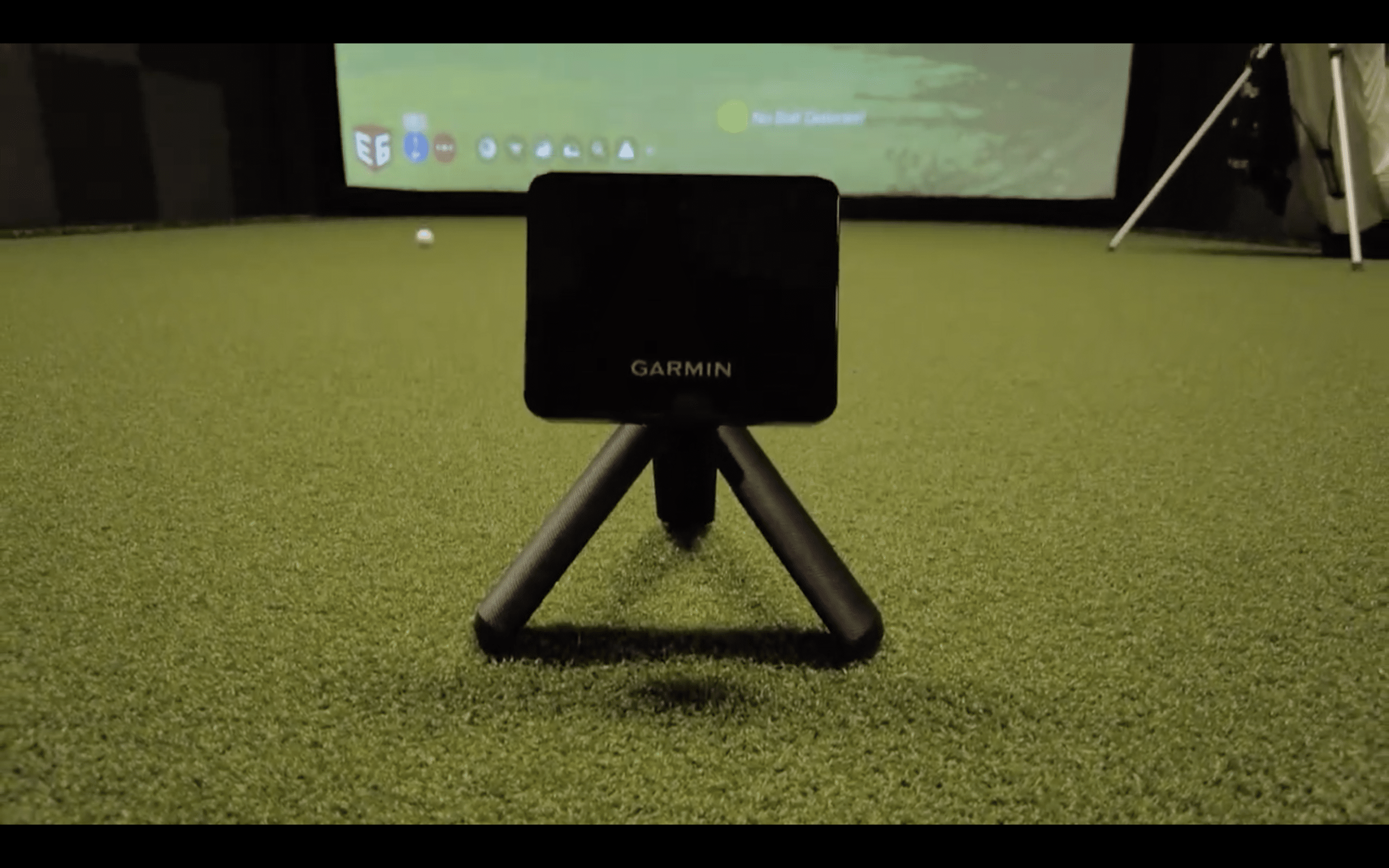
Its indoor guidance is approximately 16 feet total, with the unit roughly five feet behind the ball. The R10’s manual calls for at least eight feet between the ball and net or screen, plus six to eight feet between the device and ball.
Add the R10’s distances together and you’re at 14 to 16 feet from device to net. That still isn’t a guarantee that you can swing safely. Ceiling height, walls, and room for your actual swing need checking too.
Get a tape measure out before ordering. If the room is too short, choosing the cheaper unit or the nicer app won’t fix it. I’d rather find that out before a box arrives on the doorstep.
Simulation Is Where the Ongoing Costs Separate
Neither unit needs a subscription for its basic practice data. Playing courses is where you need to look more closely.
The SC4 Pro’s manufacturer listing includes five complimentary E6 courses and a driving range. Those courses are Aviara, Bandon Dunes, Stone Canyon, Sanctuary, and Wade Hampton. That’s a useful starting point for home simulation without immediately adding a course subscription.
It isn’t the entire E6 catalog. There’s also a separate one-year Swing Caddie Home Golf trial in the saved offer, which should be treated as a trial. Don’t confuse it with the five complimentary E6 courses. The VoiceCaddie S app itself is free on iOS and Android.
The R10’s Home Tee Hero option gives you access to more than 43,000 courses through a Garmin Golf membership. At the last check, that membership was listed at $9.99 a month or $99.99 a year.
If course variety is a big reason you’re building a simulator, that might be money you’re happy to spend. If you mostly want to practice and occasionally play one of the included E6 courses, the SC4 Pro’s bundle may be enough.
The Garmin membership covers Home Tee Hero. It doesn’t pay for every third-party simulator package that works with the R10. Pick the software you actually want, then price that setup. Don’t buy the hardware assuming one subscription covers everything.
My Garmin R10 video gives you more context on the R10 and its alternatives.
What I Don’t Love About Each
Swing Caddie SC4 Pro
The SC4 Pro is easy to like for range practice, but it won’t give you the club-delivery data the R10 reports. If you’re buying specifically for club path or face angle, this is the wrong unit.
I’d also skip it if the whole point is chipping into a net. It makes more sense as a full-swing practice unit than a dedicated short-game tool. Having spin on the screen doesn’t change that.
Garmin Approach R10
The R10 makes your phone or tablet part of every session. If you hate using an app at the range, having extra data doesn’t make that irritation disappear.
The other catch is knowing what the numbers mean. Face angle and spin axis are calculated, and a club-delivery estimate isn’t the same as directly observing the club at impact. Home Tee Hero also adds a recurring bill if that’s the simulation route you choose.
Who Should Buy Which
Buy Swing Caddie SC4 Pro if:
- You want carry and other practice numbers on the unit itself.
- You’d rather leave your phone in your pocket at the range.
- You like changing clubs with a remote.
- Five included E6 courses are enough to get your home simulation started.
Voice Caddie SC4 Pro Launch Monitor offers pro-grade precision with Doppler Radar for exact ball and club data, perfect for indoor and outdoor golf practice.
Buy Garmin Approach R10 if:
- You want club path, angle of attack, and a calculated face-angle estimate.
- You’re comfortable running practice through a phone or tablet.
- You want Garmin’s Home Tee Hero course library and accept its membership cost.
- You plan to use the supported RCT-ball setup for measured total spin.
If neither fits your room or the information you need, my best launch monitors guide covers the wider range of options.
Experience advanced golf tracking with the Garmin Approach R10, a premium launch monitor delivering precise data and improving your game effortlessly.
Frequently Asked Questions
Does the SC4 Pro measure club path?
No. It doesn’t provide club path, face angle, or angle of attack. It gives you swing speed and smash factor alongside ball and flight data. The R10 reports those additional club-delivery fields, although its face-angle number is a calculated estimate.
Is Garmin R10 spin measured or calculated?
It depends on the field. Garmin supports measured total spin with Titleist RCT balls, including indoors. Spin axis is calculated. RCT balls use an embedded radar-reflective marker, so you aren’t applying stickers to the ball yourself.
How much indoor space do these launch monitors need?
The SC4 Pro’s guidance is approximately 16 feet total. The R10 requires at least eight feet from ball to net plus six to eight feet behind the ball. That’s 14 to 16 feet from device to net, before checking swing clearance and ceiling height.
Do I need a subscription for the SC4 Pro or Garmin R10?
Neither charges a subscription for basic practice data. The SC4 Pro includes five complimentary E6 courses. Garmin’s Home Tee Hero requires a Garmin Golf membership, listed at $9.99 monthly or $99.99 yearly. Other simulator software can have separate costs.
Is the original SC4 the same as the SC4 Pro?
No. They’re distinct models. The original SC4 already offered spin and simulation support, but it’s a legacy product rather than the SC4 Pro covered in the main comparison. Check the exact model name before applying a feature list or buying a used unit.
Final Thoughts on Swing Caddie SC4 Pro vs Garmin Approach R10
For range practice, I’d choose the SC4 Pro if I wanted to set something down and read my numbers without getting a phone involved. The display and remote are useful every time you practice. You don’t need to invent a bigger reason to buy it.
I’d choose the R10 when I’d actually use the extra club-delivery information or wanted Garmin’s simulation setup. Compare the current hardware prices, add the software you plan to use, and buy for that setup. Paying for features you won’t open doesn’t make either one a better deal.

About the author
Paul Liberatore
Paul Liberatore is the founder of Golfers Authority and a former three-year golf gear contributor to Sports Illustrated. He runs the Golfers Authority YouTube channel and the Behind the Golf Brand podcast, and he reviews golf equipment to help golfers make better buying decisions.