

Your launch monitor choice depends on three non-negotiable factors: ceiling height, room depth, and computer specs. You'll need at least 9-10 feet of ceiling clearance for camera systems or overhead units, while radar monitors demand 18-21 feet behind the tee, tough for most garages. Windows dominates software compatibility, with systems like Trackman 4 requiring Windows 11 and Foresight needing high-performance PCs with Nvidia RTX graphics cards. Mac users face limited options. Overhead monitors free up floor space but cost more upfront, while floor units offer portability at lower prices. Investigate how each system type matches your specific space below. When considering golf launch monitor space considerations, it's essential to account for any additional equipment or accessories that might impact your layout. Take into account the distance from the screen to the hitting area, especially if you're using a simulation setup that requires ample space for swing motion. Also, remember that the lighting conditions in your environment can affect the performance of various systems, so plan accordingly to ensure optimal accuracy and user experience.
Why does choosing a golf launch monitor feel like solving a puzzle where every piece affects the others? Space constraints actually drive your entire decision. If you've got 8-foot ceilings, you can't use overhead monitors that need 9.5 feet minimum. Your room depth matters too; camera systems work in 10 feet, but radar needs 18-21 feet behind the tee. The key point is: budget follows space. Tight rooms force you toward overhead units, which save depth but cost more upfront. However, they'll reduce renovation expenses since you won't need extra floor area. Overhead monitors provide unobstructed hitting areas that accommodate both right- and left-handed players without repositioning equipment. Software sits last because it depends on your monitor type. Overhead units integrate with dedicated software for permanent setups, while portable floor models sacrifice advanced features. Narrow spaces can also alter a golfer's setup and performance, potentially impacting the accuracy of your practice sessions. Space dictates everything else!

Once you've figured out your space situation, you'll need to pick between the two main technologies that power launch monitors: radar and camera systems.
Radar uses Doppler technology, shooting out radio waves that bounce off your ball to track its entire flight path. Camera systems work differently; they capture thousands of high-speed images at impact, then use algorithms to predict where your shot'll go.
Here's the thing: radar needs 6-8 feet behind you to function properly, which can be brutal for indoor setups. Cameras sit right next to the ball, making them perfect for tight spaces. Accuracy-wise, radar nails ball flight data with 2-3% precision, while cameras dominate club measurements like face angle and impact location. Both technologies excel when calibrated correctly!
Be aware that radar systems can be affected by external factors like metal objects and fluorescent lighting in your setup area. Camera systems may require special markings on your golf balls, stripes, or dots that help the software track spin and rotation more accurately.
Your ceiling height determines everything about which launch monitor you can actually use and how comfortable your swings'll feel. Camera-based units need 9 feet minimum, but you're better off with 10 feet for driver swings. Overhead monitors like the Foresight Falcon and Uneekor Eye XO demand that same 9-10 foot range to capture data properly. Radar systems also want 9 feet, though they're pickier about depth than height.
Here's the thing: 8 feet is the absolute bare minimum, but you'll only swing irons comfortably. If you're under 5'6", you might squeeze by with 8.5 feet. Taller golfers? You'll need 10-11 feet because longer clubs create bigger swing arcs. The real sweet spot is 10 feet; it lets most players swing drivers without modification.
Plan for your tallest user if you're setting up a shared space, as their swing requirements will dictate your minimum ceiling height. Your room depth should be 17-18 feet to accommodate full swings and accurate shot tracking metrics. Adequate swing area and proper flooring are essential for safety and realism.

How do you pick between Windows and Mac when you're setting up your launch monitor? The reality is, Windows dominates this space. Most simulation software like GSPro, TGC 2019, and FSX 2020 won't run on Mac at all. Trackman 4 demands Windows 11 (64-bit), while Foresight systems need gaming-level PCs with Nvidia RTX graphics cards for those crisp 4K visuals.
Mac users face serious limitations. SkyTrak+ works with a MacBook through Course Play software, and Full Swing KIT connects via iOS apps, but you're missing the full simulator experience. The hardware requirements tell the story: Windows setups need Intel i7 processors, 32GB RAM for Trackman, and dedicated GPUs. Mevo Plus requires an Nvidia 1070 or equivalent for running full simulation programs on PC. Meanwhile, Mac options rely on basic connectivity rather than raw power. GSPro requires Windows 10 or 11 to operate, limiting your choices if you prefer Apple's ecosystem. Unless you're using app-based systems, Windows is your best bet for compatibility.
Where you position your launch monitor matters just as much as which model you buy. Overhead units mount to your ceiling, demanding at least 9 feet of height but freeing your entire floor from equipment clutter. You'll get a massive hitting zone, over four feet of horizontal freedom with systems like the Uneekor EYE XO2—perfect for mixed-handed groups. Floor units, on the other hand, cost less upfront and travel anywhere you need them. The key point is: overhead excels at tracking chips and putts from its raised view, while floor radar needs extra space behind the ball for accurate readings. If you're building a dedicated indoor simulator with proper ceiling height, overhead wins for reliability. Overhead systems also maintain consistent alignment across every practice session since the monitor position never shifts. Ground-based monitors capture ball speed and spin rate effectively for full swings but may struggle with accuracy on delicate short game shots. Need portability or working with low ceilings? Floor-based makes sense.
Mounting decisions set the stage, but space dictates which launch monitor actually fits your setup, and here's where garages and professional studios demand completely different approaches. In a single-car garage measuring 10-12 feet wide by 20-22 feet deep, photometric units like the Skytrak Plus or Bushnell Launch Pro thrive because they capture data at impact, needing just 10-12 feet of depth. Radar monitors struggle here; they require 18-20 feet minimum since they track the entire ball flight, which means you're removing your car every session. Professional studios flip this equation entirely. With 18-20+ feet of depth available, radar units like the Mevo Plus excel, and overhead systems like the Uneekor Eye XO create seamless righty-lefty switching in those spacious 12-15 foot wide bays.
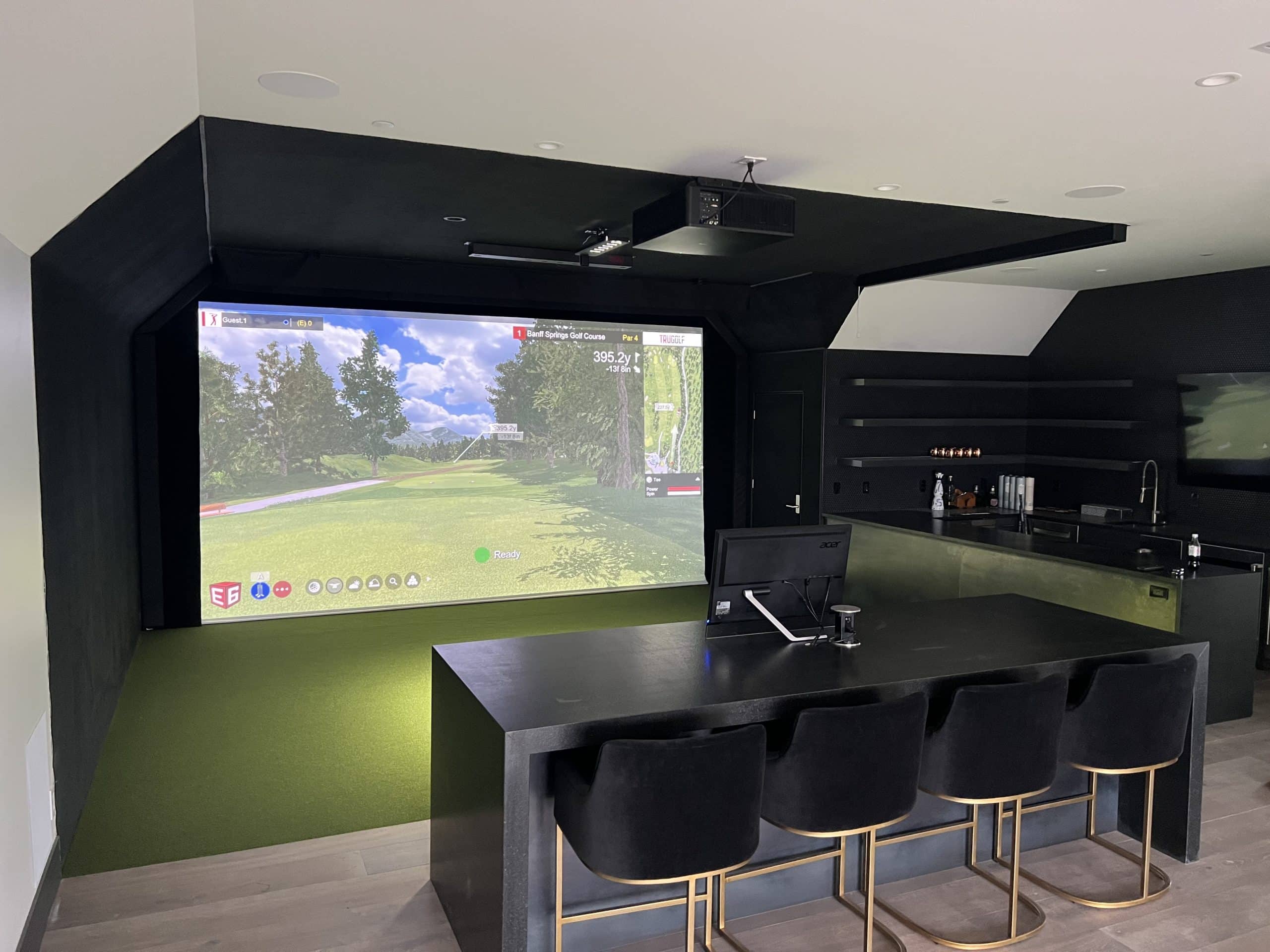
Not really, you'll need to pick your priority. Camera-based units like the GCQuad crush it indoors with only 10 feet of space, but they struggle outside when lighting changes. Radar systems like the Approach R10 dominate outdoors but demand 18-21 feet indoors, which most garages don't have. The reality is: dual-tech models like the Rapsodo MLM offer decent versatility, though they compromise slightly in both environments. Choose based on where you'll use it most!
No, not all launch monitors need subscription fees! The reality is: higher-end Foresight models (GCQuad, GC3, GCHawk) come fully accessible with no annual fees required. Uneekor, Flightscope, and ProTee also skip subscriptions entirely. However, budget options like SkyTrak require at least $100/year, and Foresight's GC3S needs a $499/year Gold Subscription. You'll still pay separately for third-party software like GSPro ($250/year) regardless of your monitor.
Lighting quality makes or breaks camera-based monitors because they rely on clear ball visibility. Uneven lighting lowers your distance measurements, while harsh shadows prevent sensors from tracking the ball properly. You'll need LED lights with adjustable brightness to avoid those pesky shadows. The key point is, even lighting across your entire space beats a single spotlight every time. Dark balls especially struggle in poor lighting, so re-marking them with black sharpie can enhance contrast better than tweaking your lights!
For 1080p simulators, you'll want at least an RTX 3060 or GTX 1660 Ti, which handles most software smoothly at 30+ FPS. If you're running 4K, step up to an RTX 3080 or newer models like the 4080 or 4090—these prevent lag and stuttering. Make sure you've got 4GB VRAM minimum, though more's better for detailed course rendering. Stick with NVIDIA cards since some systems like FSX don't support AMD.
Radar systems struggle to measure spin rates accurately indoors. The reality is: they need to track the ball through at least the apex of flight, which isn't possible in most indoor spaces. Even with 15 feet of room, you won't get reliable spin data. Camera-based systems work much better for indoor setups since they can observe dimple rotation at impact, giving you accurate spin numbers without needing that extended ball flight.
Picking the right launch monitor comes down to matching your space, budget, and tech setup. You'll need to measure your ceiling height, decide between radar or camera systems, and make sure your computer can handle the software. Don't forget that mounting options matter too; overhead units need more room, but stay out of your swing path. Start with your garage dimensions and budget, then narrow down models that'll actually work for your situation!

