
Most golfers think the Rapsodo MLM2PRO needs a gaming PC and a brand-new iPad. It doesn’t need either one. Here’s exactly what your phone or tablet needs, how much room to clear, how it connects, and what you get before you pay for a membership.
Which Phones and Tablets Work With the Rapsodo MLM2PRO?
The MLM2PRO works with iPhone, iPad and Android, and the app you install decides the cutoff. On Apple devices, the new Rapsodo Golf app needs iOS or iPadOS 17.6 or later. The older Rapsodo MLM2PRO app still installs on 15.6 or later.
Rapsodo Golf is the one to get. It runs both the MLM2PRO and the newer MLM2XPRO, and Rapsodo says it’s still supporting the MLM2PRO with firmware updates and access to its new mobile and PC apps. The older app is still out there, but I wouldn’t build a new setup around it.
Now, here’s where people get tripped up. Rapsodo’s Learning Center still lists iOS 14, a 2017 iPad from the 5th generation up with 1080p support, and Android 10 with native Google Play. That’s older guidance. The app listing is what decides whether the app actually installs, so check your phone against the listing, not the Learning Center.
Android is the one gray area. The Rapsodo Golf listing on Google Play confirms it runs the MLM2PRO, but it doesn’t show a minimum Android version. So the easiest check is to search for Rapsodo Golf in the Play Store on your own phone. If it installs, you’ve cleared the first hurdle. If it won’t, you found that out for free.
And your phone isn’t doing the tracking. The MLM2PRO has its cameras built into the monitor, so your phone or tablet’s job is running the app and showing you the numbers. There’s no reason to buy the newest phone just for this. If you’re running it on an iPad, my Rapsodo iPad requirements guide goes through it model by model.
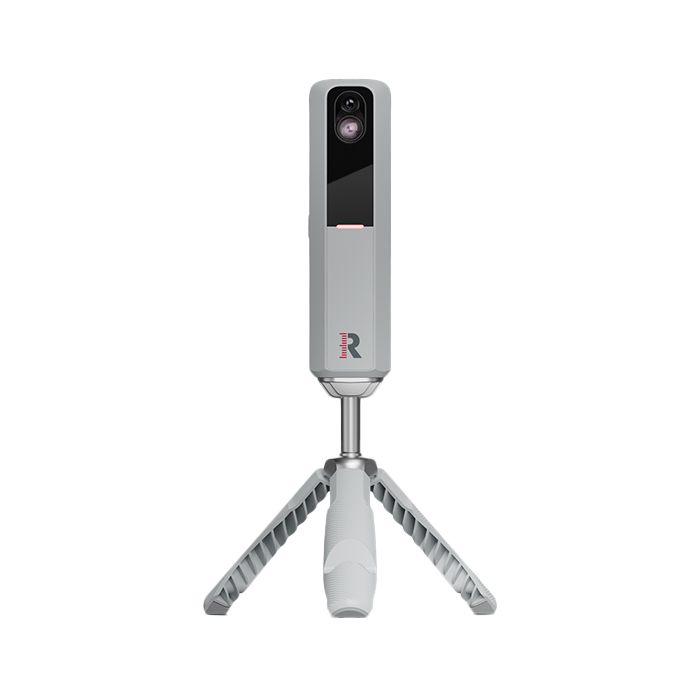
Improve your golf swing with the Rapsodo MLM2PRO Launch Monitor and Golf Simulator. Featuring dual cameras, precise metrics, and realistic simulation, practice anytime, anywhere. Get actionable insights to lower your handicap and play better golf.
- Accurate shot tracking with video
- Works indoors and outdoors
- Dual cameras film impact and swing
- Measured spin, club path and angle of attack need Core ($199.99/yr)
- Indoor setup requires space
How Much Room Do You Need for a Rapsodo MLM2PRO?
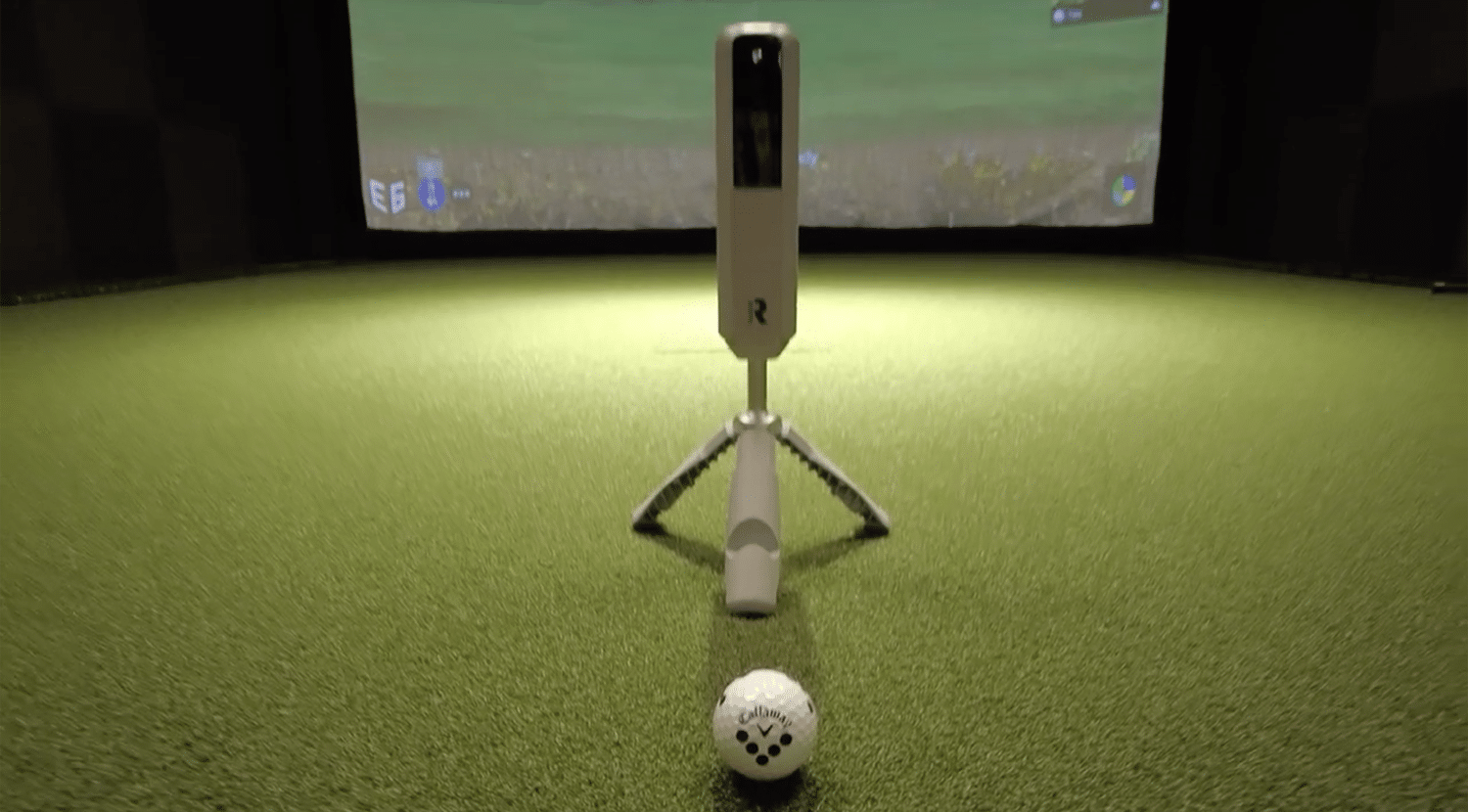
Plan on about 15.5 feet of depth for Rapsodo’s standard setup. That’s at least 8 feet of ball flight from the ball to your net or screen, plus the monitor at its standard 7.5-foot spot behind the ball.
Rapsodo does give you some wiggle room. The monitor can sit anywhere from 6.5 to 8.5 feet behind the ball, so your total depth runs 14.5 to 16.5 feet. When I reviewed the MLM2PRO, I said you’re looking at about fourteen and a half feet of total room depth, and that’s the floor, with the monitor pulled all the way up. If you’re tall, plan on the deep end. Rapsodo says taller players may need to move the monitor back to get their whole swing on video.
And that depth is just for the shot. You still want some space behind the net so the ball isn’t punching it into the wall, plus room to stand the monitor up without backing it into something.
Width and ceiling height are where you’ll see a lot of made-up numbers online. Rapsodo doesn’t publish a one-size minimum for either one. So take your driver into the room, stand where you’d actually hit, and make a slow, full swing. If you clear the ceiling, the walls and the enclosure with room to spare, you’re good. That’s the only width and height number that matters for you.
Why does it need so much depth? The MLM2PRO pairs Doppler radar with its cameras, and radar needs ball flight to read the shot. That’s the big trade-off between radar and camera units, and here’s how photometric and radar launch monitors differ if you’re still choosing.
How Do You Set Up the MLM2PRO for Accurate Data?
Set it on a flat surface at that standard spot, line it up with your target line, and level it before you hit a ball. The app walks you through it. You put the ball inside the orange hitting area to get club data, and the alignment screen has a level indicator. You can’t hit Continue until the monitor is level.
Don’t rush this part. You can’t just toss it on the floor and start swinging. Alignment and leveling are a real thing, because the cameras have to be lined up with your target line to measure club path correctly. And if it’s not picking up your shots, open Alignment and check the level and the ball position before you start changing anything else.
Lefties, you set it up the exact same way, right behind the ball. Just set Handedness to Left Handed under Player Settings in the app so the swing camera view comes out right. If a righty and a lefty are sharing one setup, make sure both of you have room to swing on your side of the mat.
Does the MLM2PRO Connect With Bluetooth or Wi-Fi?
Both. Keep Bluetooth and Wi-Fi turned on, because the app needs Bluetooth permission to find the monitor, and the monitor and your phone talk to each other over Wi-Fi. On Android 12 and later, the Bluetooth permission shows up as Nearby devices. The app also asks for Location so it can read your Wi-Fi network name, and on an iPhone or iPad it asks for Local Network access too.
You’ve got two ways to connect. Local Network puts the monitor and your phone on the same home Wi-Fi, and that’s the one Rapsodo recommends, because with internet every play mode works. Direct Connection has your phone join the monitor’s own Wi-Fi, so you don’t need a home network at all.
Here’s the part people miss. The very first connection has to be over Local Network with internet, because that’s what activates the monitor. After that, you can take it to the range on Direct Connection. Practice, Driving Range and Target Range all work without internet. Courses and partner apps still need internet, which means your phone’s cellular data. And firmware updates don’t happen in Direct Connection, so do those at home.
Do You Need a Rapsodo Membership to Use the MLM2PRO?
No, not to start hitting balls. Practice is free. But most of what makes the MLM2PRO worth buying sits behind the Core membership, which is $199.99 a year. That covers measured spin rate and spin axis, club path, angle of attack, Impact Vision, courses and third-party connections.
In my review, I said it straight. Without the membership, you lose simulation, you lose spin data, you lose the newer club metrics, and at that point it’s basically a much more basic unit. Every new MLM2PRO comes with a 21-day free trial of Core, so you’ll see the whole thing before you decide.
Studios is the bigger tier at $399.99 a year. It adds Rapsodo’s premium Studios 4K course library on a compatible PC and profiles for more golfers. You don’t need it for GSPro or the other third-party apps. Core covers those.
Then there’s the ball. Indoors, you’re going to need the dotted RPT balls if you want real measured spin. Those are Titleist or Callaway balls with Rapsodo’s pattern printed on them. Don’t confuse them with RCT balls, which are a different thing. Regular golf balls still work for the rest of your numbers, so you only need RPT when spin matters. Spin comes off the Impact Vision camera, which films impact at 240 frames per second.
Do You Need a Computer for the Rapsodo MLM2PRO?
No. A computer only comes into the picture when you want a bigger simulator on a TV or projector.
If that’s the plan, you’ve got two routes. Rapsodo Golf for PC runs the MLM2PRO on a Windows computer over a USB-C cable, and it needs Core. It doesn’t work on a Mac. Rapsodo keeps the PC requirements in a document on its Learning Center, so check your computer against that list before you buy anything.
The other route is GSPro. It runs on Windows 10 or 11, and there’s no Mac version. Its recommended minimum for 1080p is 16GB of memory, 10GB of free space and a stable internet connection. For great-looking 1080p, it recommends an RTX 3070 or 3060 Ti with 20GB free. For 4K, it’s an RTX 3080 or better with 32GB of memory.
One thing to know before you buy a PC just for GSPro. Your club data doesn’t pass through to GSPro. You’ll still see club path and angle of attack in Rapsodo’s own app, just not inside GSPro.
Frequently Asked Questions
Can you use the Rapsodo MLM2PRO without a subscription?
Yes. Practice is free, and regular golf balls work for your basic numbers. What you give up without Core is measured spin, club path, angle of attack, courses and the GSPro connection, which is a lot of the reason you’d buy this one.
Is the Rapsodo MLM2PRO worth the money?
I still think it’s worth buying, as long as you go in with your eyes open and plan for the subscription. If you refuse subscriptions on principle, I’m not going to talk you into it. Here’s my full Rapsodo MLM2PRO review if you’re still deciding.
Can you use the Rapsodo MLM2PRO as a golf simulator?
Yes, with Core. The Rapsodo Golf app plays courses right on your phone or tablet. For a bigger screen, you can run Rapsodo Golf for PC or connect to GSPro on a Windows computer.
Can you use the MLM2PRO at the range without Wi-Fi?
Yes, once it’s activated. Switch to Direct Connection and Practice, Driving Range and Target Range work without internet. Courses and partner apps still need your phone’s cellular data.
Can more than one golfer use the same MLM2PRO?
Yes. Core includes family member profiles for up to two golfers, and Studios goes up to four. That keeps everybody’s data separate, so you don’t need the old trick of setting up a separate club for each person.
Conclusion
The catch is that none of the software numbers in here are locked in. Rapsodo can raise an app’s minimum with any update, so check the listing on your own phone the day you buy, not a list you read online.
If your phone installs the app and your room has the depth, you’ve got everything you need to start, and the PC can wait until you want the big screen. If your room comes up short, skip it. No app update fixes a garage that’s too shallow, and a launch monitor that sits right next to the ball is the better fit for you.

About the author
Paul Liberatore
Paul Liberatore is the founder of Golfers Authority and a former three-year golf gear contributor to Sports Illustrated. He runs the Golfers Authority YouTube channel and the Behind the Golf Brand podcast, and he reviews golf equipment to help golfers make better buying decisions.