
All three of these mount over your head, and that’s about where the similarities stop. One is a radar-and-camera hybrid from TrackMan, one is a four-camera Foresight unit, and one is a three-camera infrared Uneekor. Here’s how they actually differ before you hand a room over to any of them.

Buy the Trackman iO launch monitor for ultimate indoor golf precision. Experience unmatched radar & infrared tracking technology. Order your unit today!
The Quick Verdict
The TrackMan iO is the pick if you want the TrackMan indoor ecosystem and you want to swing without sticking anything on your clubs or your golf balls, because neither club markers nor ball markers are required. The Foresight Falcon makes the most sense in a dedicated bay you’re willing to have professionally installed, and Foresight publishes a 59 by 28 inch nominal ball area for it. The Uneekor EYE XO2 is the one I’d point a coach at, because it pairs club numbers with an overhead impact image and it supports rough and bunker Trouble Mats inside the hitting zone. The trade there is real: the full club and impact-point data set needs reflective stickers on the club.
I haven’t put these three in one bay and hit the same shots through all of them, so treat this as a buying guide built on what each company publishes about its own exact model. That also means this comparison isn’t the place to crown an accuracy champion, because the material I’m working from doesn’t give me a comparable tolerance for all three. What it does give you is better: the install, the markers and the software plan are the three things that will actually decide which of these you’re happy with two years from now. Foresight and Uneekor publish detailed room layouts, and TrackMan publishes less about the iO’s room, connectivity and warranty, so a few cells in the table below are blank on purpose instead of filled in with a guess.

Unlock your golf game’s true potential with the Foresight Falcon launch monitor. Known for unmatched accuracy, it delivers detailed swing and ball data, helping you improve every shot. Whether training at home or on the range, this review reveals why the Falcon is a must-have for golfers aiming for precision and progress.
The Same Problem All Three of These Are Trying to Solve
A side-mounted floor unit can sit in your way. It sits beside the ball, it has to see the ball, and switching to a lefty can mean moving hardware around on the mat. That’s a problem all three of these can remove. Put the sensor on the ceiling, get it calibrated, and the hitting area stays clear.
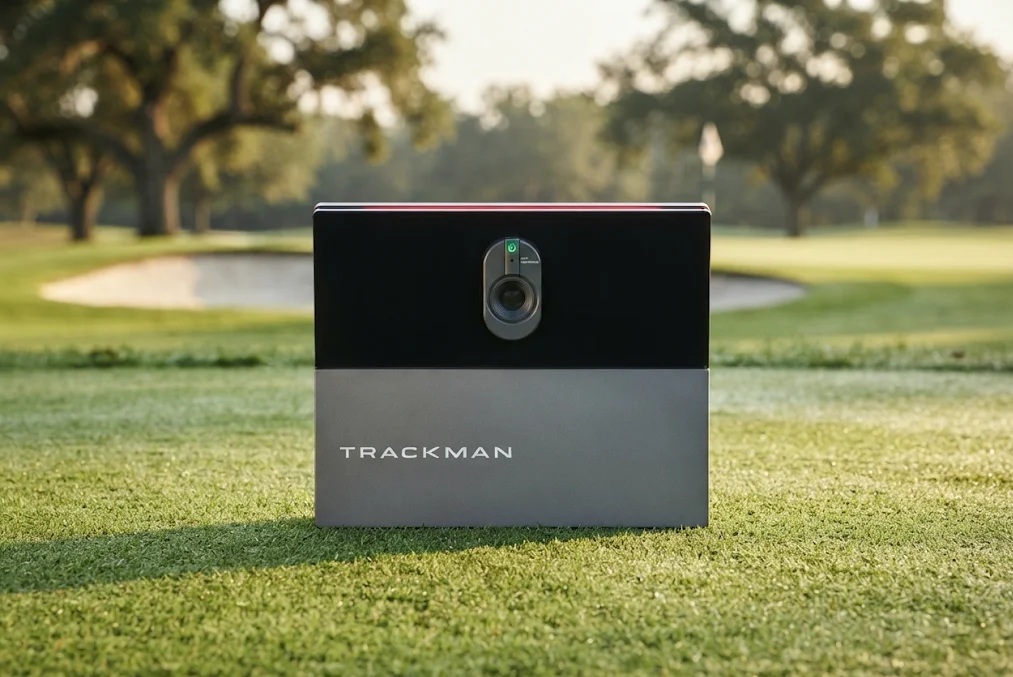
That one decision changes everything downstream. You’re no longer buying a gadget you can throw in the trunk and take to the range. The Falcon runs on an integrated power supply with an included cord, and Foresight lists battery capacity as not applicable, which is the honest way of saying this thing lives where you bolt it. The EYE XO2 is front-mounted overhead and connects to a Windows PC over gigabit Ethernet. The iO is TrackMan’s indoor ceiling-mounted unit, and it is a different product from the portable TrackMan 4, so don’t carry TrackMan 4 numbers or habits over to it.
What you get back for that commitment is a bay where the sensor stays put, for a right-hander and a left-hander, instead of getting shuffled between players. What you give up is flexibility, and you take on an installation job. Those are the terms for all three.
The Three-Way Comparison
| Criteria | TrackMan iO | Foresight Falcon | Uneekor EYE XO2 |
| Format | Indoor ceiling-mounted unit; separate product from the portable TrackMan 4 | Permanent overhead unit with an automatic latching ceiling mount | Permanent front-mounted overhead unit |
| Tracking method | Radar, infrared and high-speed imaging | Four-camera Quadrascopic high-speed photometric | Three high-speed infrared cameras |
| Camera hardware | Dual system: tracking camera up to 4,600 fps plus an alignment camera | Four cameras | Three cameras |
| Markers and stickers | Club markers not required; ball markers not required | Fiducial dispenser and two rubberized tees listed in package contents; no marker requirement established for the Falcon | Any standard golf ball; reflective bar and dot club stickers required for the full club data set |
| Published ball or hitting area | Not established in the TrackMan iO material here | 59 by 28 in nominal ball area; the manual separates club zones from ball-only zones | 28 by 21 in hitting zone |
| Published placement geometry (vendor layout, not swing clearance) | No front or back tracking-distance minimum published; safe swing and installation clearance still required | Mat center 10 to 12 ft from the screen and 4 ft horizontally from the unit; ideal ceiling 9.5 to 10.5 ft | Sensor center 3 ft 6 in ahead of the tee; 9 to 10 ft sensor height in the manual |
| Vendor room recommendation | Not established here | Layout distances only; no complete room envelope published | 13 ft wide by 16 ft deep by 10 ft high |
| Installation notes | Not established here | Structure rated for at least 75 lb; licensed contractors and at least two qualified installers; mounting screws not included | Mounting hardware and calibration equipment listed in the bundle as of the August 2026 check |
| Connectivity | Not established here | USB Type-C, Wi-Fi, gigabit Ethernet | Gigabit Ethernet, CAT6, RJ-45 |
| PC requirement | Not established here | Gaming PC required for simulation, sold separately per the seller listing | Windows gaming PC required; 32 GB RAM and RTX 3060 Ti class recommended alongside Swing Optix and AI Trainer |
| Data structure | Home lists club speed; Home Complete and Commercial list additional club metrics | Published ball and club output lists; club outputs depend on ball placement in the club zone | 24 listed ball and club data points; third-party simulator access starts at the Pro software tier |
| Simulated lies | Not established here | Not established here | Rough and bunker Trouble Mats supported and included in the bundle |
| Warranty | Not established here | Two-year limited | Two-year bundle warranty, plus limited strike coverage for the lesser of two years or two ball-strike occurrences |
| Published accuracy tolerance | Not established in the TrackMan iO material here | None published for the Falcon | None published by Uneekor for the EYE XO2 |

The Uneekor Eye XO2 launch monitor sets the gold standard in golf tech with unmatched precision and real-time data. Ideal for players seeking pro-level feedback and immersive simulator experiences, this review dives deep into its features, accuracy, and performance benefits. Whether you're refining your swing or elevating your indoor golf game, the Eye XO2 delivers exceptional value.
The Hardware Takes Three Different Routes to the Same Ceiling
TrackMan is the only one of the three that isn’t purely camera-based. The iO combines radar, infrared and high-speed imaging, and its camera side is a dual setup: a tracking camera running up to 4,600 frames per second plus a separate alignment camera. That 4,600 fps figure is a published maximum for the tracking camera, not a rating of how close the numbers land.
Foresight went the other direction and stacked cameras. The Falcon is a four-camera Quadrascopic high-speed photometric system. Uneekor’s EYE XO2 uses three high-speed infrared cameras and reads the ball off its own surface, so you hit whatever golf ball you already play.
Here’s a tip on reading those three lines. Camera count is a hardware fact and nothing more. Four cameras versus three versus a radar hybrid tells you how each company chose to see the ball, and it does not tell you which one gets closer to the truth on a thin 4-iron. Buy on the install, the data you need and the software you’ll actually run. If you want a brand-level look at the two biggest names in this group, the TrackMan vs Foresight comparison covers that ground separately.
Your Room Decides This More Than the Spec Sheet Does
Foresight and Uneekor both publish a layout for their unit, and the two layouts are different animals.
Foresight’s Falcon manual gives an ideal ceiling of 9.5 to 10.5 feet, puts the center of the hitting mat 10 to 12 feet from the screen, and sets the unit about 4 feet horizontally from that mat center. Uneekor recommends a room at least 13 feet wide, 16 feet deep and 10 feet high for the EYE XO2, with the sensor center 3 feet 6 inches ahead of the tee and the sensor 9 to 10 feet off the floor. For the iO, the material I have doesn’t give a comparable room layout. What it does give is one useful line: TrackMan publishes no front or back tracking-distance minimum for it, which matters if your back wall is closer than you’d like.
Now, here’s why it matters. A mount height is a mount height. An offset from the tee is where the sensor sits. A ball detection zone is where the unit can see the ball. None of those three numbers is the space you need to swing a driver without clipping a ceiling or a wall, and none of them tells you how far the ball should sit off your screen. Those are your own measurements, and you take them with a tape before you buy anything. If you want the general version of that homework, I walked through home-simulator room planning in 6 Truths I Wish I Knew BEFORE Building a Home Golf Simulator. That’s category setup context, not a test of any of these three units.
Blue Tees Compatibility: What the Rainmaker Does for Gear You Already Own
Every other section here is a spec argument. This one isn’t, and it’s the clearest reason Blue Tees built this thing.
Blue Tees also sells rangefinders, GPS speakers and watches, and the Rainmaker is designed to feed compatible models. Your measured carry distances go into the system, your bag mapping can update off numbers you actually hit instead of the ones you typed in during a hopeful moment, and a connected rangefinder like the Captain Pro can work from those distances. Voice Caddie sells plenty of golf devices too, so I’m not telling you nobody else connects anything. I’m telling you this specific pairing is the Rainmaker’s pitch, and if there’s already compatible Blue Tees gear in your bag it’s a genuine reason to lean that way.
Two things to keep straight before you let it decide anything. Which of those connected features are live right now, and what the current terms on them are, is a single question for Blue Tees’ own page, and I’d get the answer in one sitting rather than assume it. And if you own no Blue Tees gear at all, this section is worth nothing to you. At that point you’re choosing between two radar units on their own merits, and I’d be looking hard at what each one does on its own screen.
Stickers, Markers and What You Do Before Every Session
This is where the three genuinely split, and it’s the thing buyers underrate.
TrackMan lists the iO as needing neither club markers nor ball markers. You walk in, you hit. Uneekor’s EYE XO2 reads any standard golf ball with no marked ball required, which is great, but the complete club data set and the vertical and horizontal impact-point data need Uneekor’s reflective bar and dot stickers on the club. Uneekor’s manual treats them as optional for basic use and necessary for the full club picture. If you’re buying the XO2 for face and delivery work, you’re buying into stickers. If you’re mainly playing simulated rounds, you can live without them.
On the Falcon, the listed package contents include a fiducial dispenser and two rubberized tees alongside the latching mount, calibration wand and cables. Mounting screws are not included, which is a small thing that turns into a trip to the hardware store on install day.
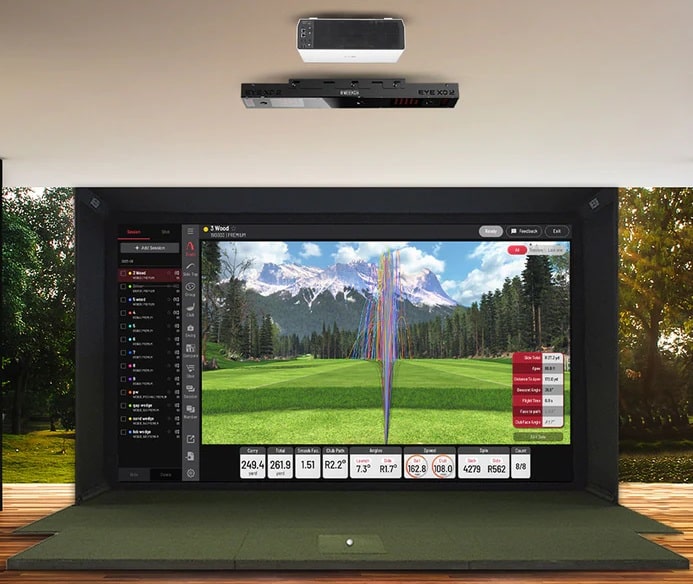
The XO2’s other party trick belongs here too. Club Optix pairs the club numbers with an overhead impact image, so you see toe, heel, high or low contact instead of guessing it from ball flight. For a coach or a fitter, being able to point at the picture while the numbers are on screen is worth more than one extra metric in a list. Our Uneekor EYE XO2 review goes deeper on that side, and the EYE XO vs XO2 comparison covers the in-family upgrade question.
Installing It Is a Job, and Calibration Is Part of It
The Falcon’s install path is written down, and it’s worth planning carefully. Foresight’s manual calls for licensed contractors and at least two qualified installers, and the ceiling precaution asks for structure that can hold at least 75 pounds. The automatic latching mount makes one step of that easier. It does not turn the project into hanging a picture frame.
Calibration is its own step. Foresight’s process runs through its calibration application with the wand that ships in the box, connected over Ethernet to a router or PC, with an internet-connected machine doing the computation and the device resetting once it has the calibration file. There’s also a support-assisted route if the normal internet connection isn’t available. Uneekor ships mounting hardware and calibration equipment in the bundle and mounts the sensor at a specified offset and height, which is exactly the kind of geometry you want locked in by someone who measured it.
So the honest version of the overhead pitch is this. The sensor stops moving between players, and that’s the real win. It does not mean calibration is a one-time ceremony you never think about again, and if the numbers start looking strange, mounting, calibration, lighting and the ball’s position inside the zone are four things to check.

What Actually Comes With the Box, and When That Was Checked
Software entitlement is the easiest place to get burned on a purchase this size, because the packaging changes and old articles don’t.
On the Falcon, current direct packaging lists a 30-day Foresight+ Gold membership with Course Pass Pro, and Foresight’s ecosystem documentation says existing FSX Play, Pro and 2020 licenses keep working. Those are two different situations. If you already hold FSX licenses, your question is what carries over. If you’re coming in fresh, a trial is a trial, and older promises of all the software forever don’t describe what ships now. The seller listing also states a gaming PC is required for simulation and sold separately.
On the EYE XO2, the base Player tier covers ball data, club data, a virtual range and reporting, while connecting to third-party simulator software starts at the Pro tier. The AI Studio bundle, as verified in August 2026, pairs the sensor with two Swing Optix cameras and tripods, a year of AI Trainer, an Ultimate trial, the rough and bunker Trouble Mats, and mounting and calibration equipment.
On the iO, TrackMan lists club speed with Home, and additional club metrics with Home Complete and Commercial. So before you buy, write down the club numbers you actually need and check which package lists them. That one piece of homework is worth more than any spec argument on this page.
One date note, because it changes what you should trust. The Falcon and iO facts here were checked in November 2026, and the Uneekor specifications, bundle contents and software structure in August 2026. Bundles move. Confirm the current package with the seller before you sign anything.
What I Don’t Love About Each
TrackMan iO
The club data you see depends on which package you’re on, because Home lists club speed while Home Complete and Commercial list additional club metrics. That’s fine once you know it, and it’s a problem if you don’t, because the metric you were counting on might sit a tier above the one you were pricing. Ask for the metric list in writing for the exact package you’re buying.
Foresight Falcon
The 59 by 28 inch ball area is the headline, and it is not the club-data area. Foresight’s own manual separates club zones from ball-only zones, and the exact club-zone dimensions aren’t published. So the big rectangle is real for ball placement and shared use, but if you want club path and face numbers, where you set the ball inside that rectangle matters.
Uneekor EYE XO2
Full club data and the impact-point numbers need the reflective bar and dot stickers on your clubs. Ball reading is marker-free, club reading at the top end is not. For some people that’s an extra step. For others it’s a dealbreaker, and it’s better to know now.
Who Should Buy Which
TrackMan iO
- You want TrackMan’s indoor ceiling-mounted unit specifically, not the portable TrackMan 4.
- You refuse to put anything on your clubs or your golf balls, since neither is required here.
- Your bay is tight front to back, and the lack of a published front or back tracking-distance minimum helps, with your own swing and installation clearance still measured separately.
- You know which club metrics you need and you’ll confirm they’re listed with the package or plan you’re buying.
Buy the Trackman iO launch monitor for ultimate indoor golf precision. Experience unmatched radar & infrared tracking technology. Order your unit today!
Best for: The golfer who wants TrackMan’s indoor unit with no markers on the club or ball.
Foresight Falcon
- You have a dedicated bay with a ceiling in the 9.5 to 10.5 foot range and structure rated to carry at least 75 pounds.
- You want a published 59 by 28 inch ball area for shared use, and you’ll place the ball in the club zone when you want club numbers.
- You already hold FSX licenses that keep working, or you’re fine starting inside the current Foresight+ packaging.
- You can hire licensed contractors with at least two qualified installers and run the PC calibration pass, because that’s the documented install path.
Unlock your golf game’s true potential with the Foresight Falcon launch monitor. Known for unmatched accuracy, it delivers detailed swing and ball data, helping you improve every shot. Whether training at home or on the range, this review reveals why the Falcon is a must-have for golfers aiming for precision and progress.
Best for: The dedicated, professionally installed bay that wants a big published ball area.
Uneekor EYE XO2
- You want an overhead impact image sitting next to the club numbers, not numbers on their own.
- You want rough and bunker lies inside the hitting zone, since the Trouble Mats are supported and included.
- You’ll put reflective stickers on your clubs to get the full club and impact-point set.
- Your room fits Uneekor’s 13 by 16 by 10 foot recommendation and you have a Windows gaming PC in the 32 GB and RTX 3060 Ti class range to run Swing Optix and AI Trainer.
The Uneekor Eye XO2 launch monitor sets the gold standard in golf tech with unmatched precision and real-time data. Ideal for players seeking pro-level feedback and immersive simulator experiences, this review dives deep into its features, accuracy, and performance benefits. Whether you're refining your swing or elevating your indoor golf game, the Eye XO2 delivers exceptional value.
Best for: The coach or home studio that wants impact imagery and simulated rough and bunker lies.
Frequently Asked Questions
How much room do these overhead launch monitors need?
Foresight and Uneekor both publish guidance, and it isn’t the same shape. Uneekor recommends at least 13 feet wide, 16 feet deep and 10 feet high for the EYE XO2, with the sensor 9 to 10 feet up and its center 3 feet 6 inches ahead of the tee. Foresight’s Falcon manual gives an ideal ceiling of 9.5 to 10.5 feet, the mat center 10 to 12 feet from the screen and 4 feet horizontally from the unit. For the TrackMan iO, I don’t have a comparable published room layout, only the note that there’s no front or back tracking-distance minimum. None of those numbers tells you whether your driver clears your ceiling, so measure your own swing space on top of them.
Do any of these need club or ball markers?
TrackMan lists the iO as requiring neither club markers nor ball markers. The Uneekor EYE XO2 reads any standard golf ball with no marked ball needed, but the full club data set and the vertical and horizontal impact-point data require Uneekor’s reflective bar and dot stickers. The Falcon’s listed package contents include a fiducial dispenser and two rubberized tees.
Which one is the most accurate?
I’m not going to rank them, because the material I have for these three exact models doesn’t give me a comparable accuracy tolerance to rank them on. Camera count doesn’t answer it either: the Falcon uses four cameras, the EYE XO2 uses three infrared cameras, and the iO combines radar, infrared and imaging with a tracking camera rated up to 4,600 fps. Those are architecture facts. And when you see a figure like Uneekor’s 11 to 223 mph ball speed or spin up to 12,000 rpm, that’s a detection range, which is the window the sensor reads inside, not a measure of how close the reading lands.
Can right-handed and left-handed golfers share the same bay?
That’s the main reason to go overhead at all, because the sensor stays mounted instead of getting moved between players. The Falcon publishes a 59 by 28 inch nominal ball area and the EYE XO2 publishes a 28 by 21 inch hitting zone, and those are the published spaces you have for ball placement. I don’t have a comparable area figure published for the iO. Your bay still needs enough width for both players to swing safely, and that is a separate measurement from the hitting area.
Do you need a gaming PC for these?
For the EYE XO2, yes. Uneekor requires a Windows gaming PC and recommends 32 GB of RAM with an RTX 3060 Ti or equivalent when Swing Optix and AI Trainer are part of the setup. The Falcon’s seller listing states that a gaming PC is required for simulation and sold separately. For the iO, I don’t have a published PC requirement, so confirm that directly with the seller for the package you’re considering.
Final Thoughts on TrackMan iO vs Foresight Falcon vs Uneekor EYE XO2
Three overhead units, three different bets. The TrackMan iO bets on a radar and camera hybrid you can walk up to and hit without preparing your clubs or your balls. The Foresight Falcon bets on four cameras, a published 59 by 28 inch ball area, and a bay you had professionally installed. The Uneekor EYE XO2 bets on three infrared cameras, an impact image next to your club numbers, and Trouble Mats for rough and bunker lies, as long as you’ll use the stickers.
So pick on the three things you can actually verify before you spend: whether your room and structure suit the install, whether you’ll live with markers on your clubs, and whether the plan or package you’re buying lists the data you came for. Get those right and any of these three can anchor a serious bay. Get them wrong and the best sensor in the world is bolted to the wrong ceiling. If the Uneekor and Foresight sides of this are where you’re stuck, the Uneekor vs Foresight comparison and the Foresight Falcon review go further on each.

About the author
Paul Liberatore
Paul Liberatore is the founder of Golfers Authority and a former three-year golf gear contributor to Sports Illustrated. He tests golf equipment hands-on to help golfers make better buying decisions.