
You'll need an iPhone 8 or newer (iOS 14+) or an Android device running 10.0 or higher to run the MLM2Pro app. Space-wise, carve out at least 14 feet deep, 10 feet wide, and 9 feet tall. That's because you need 8 feet in front of the ball and 7.5 feet behind it for the unit itself. Beyond the device, budget for specialized balls like Callaway RPT Chrome Soft X ($50+ per dozen) and an app subscription for data tracking. There's more to setting this up properly, though!

Experience top-tier golf analytics with Rapsodo MLM2PRO, dual cameras, Doppler radar, and precise shot feedback in a sleek, portable launch monitor.
Wondering if your current phone or tablet will work with the Rapsodo MLM2Pro launch monitor? The important point is, you'll need iOS 14 or later for iPhones and iPads, which means the iPhone 8 and newer models are good to go. For iPad users, you'll need a 2017 model or newer with 1080p display support. Android users aren't left out either! You'll need Android 10.0 or higher (that's API level 29) on your phone or tablet. The key requirement? Your Android device must have native Google Play Store support. Both ecosystems work similarly once you download the free Rapsodo MLM2PRO app from your device's app store. You can check the app store for the most current compatibility requirements to ensure your device meets all specifications. You'll connect via Bluetooth or Wi-Fi, and you're ready to start tracking shots without needing a computer. The MLM2Pro is compatible with both Android and Apple devices, ensuring broad accessibility across different platforms.

Setting up an MLM2Pro golf simulator requires more space than you might think. You're looking at a minimum of 14 feet deep, 10 feet wide, and 9 feet tall for a comfortable setup.
Here's the breakdown: you'll need 8 feet from the ball to your net or screen, plus 6.5-8.5 feet behind the ball for the MLM2Pro unit itself. That's where the dual cameras and radar do their magic, tracking your ball flight for several cycles after impact. If you're tall, you'll want even more depth for proper swing video capture.
The width requirement is pretty straightforward; 10 feet gives you enough room to swing freely without worrying about clipping walls. For height, 9 feet works for most players, though taller golfers might need extra clearance for ideal device placement. The MLM2Pro works with iOS 14 or higher and Android 10.0 OS or higher, so make sure your device is compatible before setting up your space. The dual cameras capture impact at 240 frames per second, ensuring precise shot analysis and down-the-line swing videos with shot-tracer technology.
Getting your MLM2Pro positioned correctly isn't just vital; it's absolutely critical for reliable data. You'll want to place the unit 7.5 feet behind the ball—that's roughly two paces, for ideal club and ball tracking. This distance puts you right in the sweet spot for capturing frames before and after impact. The important part is: you can get away with 6.5 to 8.5 feet, but 7.5 feet gives you the best results.
Once you've nailed the distance, alignment comes next. Use the top alignment aid to line up with your target on the screen. Think of it like aiming a camera; the MLM2Pro needs to look straight down your intended shot path. You can toggle between impact and shot vision cameras to help verify that your alignment is accurate. Ultimately, level the unit using the internal accelerometer, you'll tilt your hitting area and mess up your data.
Beyond the unit placement, you'll need at least 8 feet of clear space in front of the ball to capture accurate spin rates and shot shape data. This forward clearance allows the radar to track the ball's flight and analyze multiple spin measurements after impact.
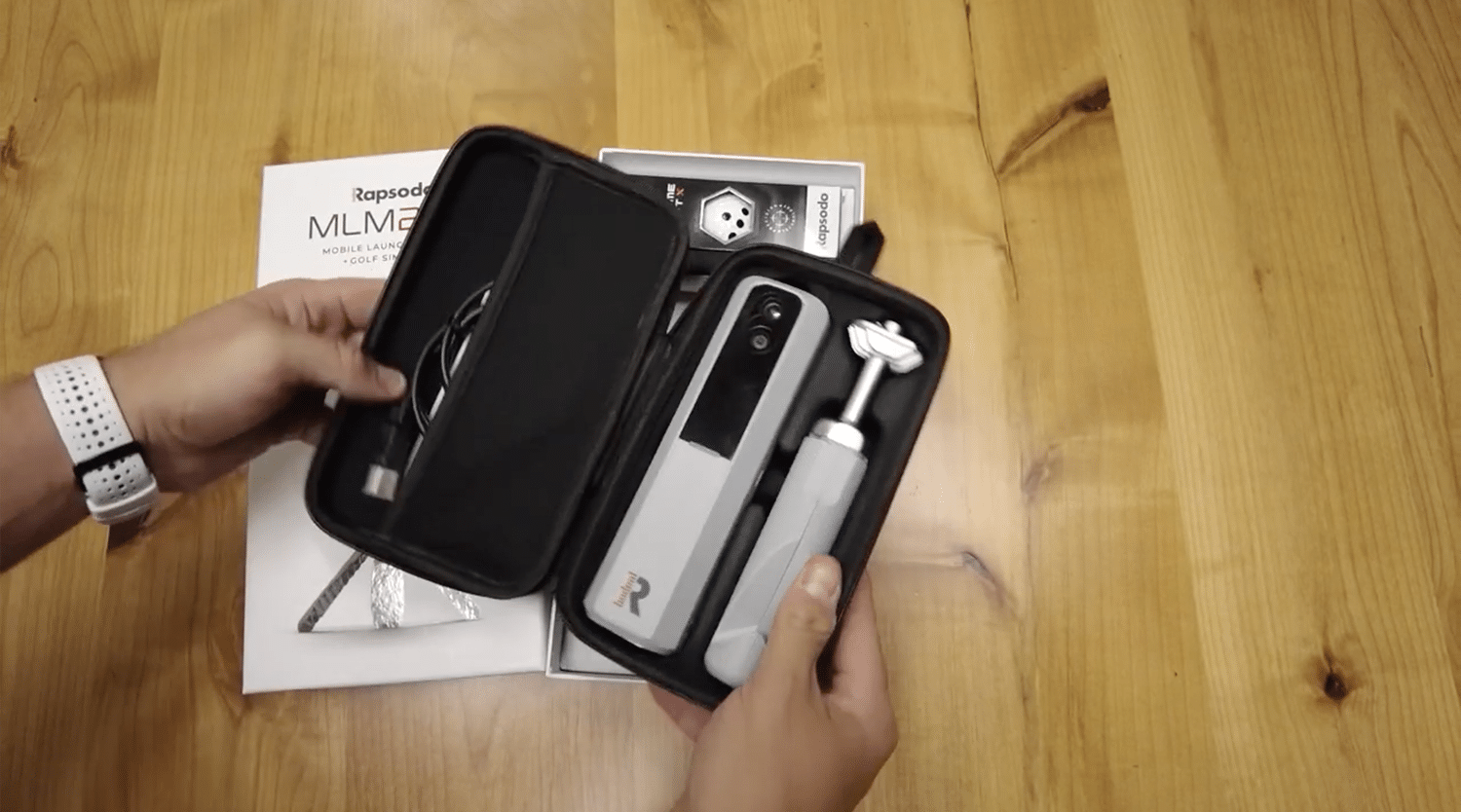
While the MLM2Pro's price tag might seem straightforward, you'll need to factor in some ongoing costs that can really add up over time.
First up, you've got the balls. The system includes Callaway RPT Chrome Soft X balls designed specifically for spin tracking. You can also use Titleist Pro V1 RCT balls now! Regular range balls work fine if you don't care about spin data, but the reality is, you'll substitute accuracy. Want spin measurements? You'll need those specialized RPT balls.
Then there's the software side. The MLM2Pro app requires a subscription for data tracking and shot analysis. If you're going the simulator route, GSPro integration needs Windows 10/11, an Intel i5 CPU, 8GB RAM, and a GTX 1070 GPU minimum, that's additional investment territory!
The PRO 2.0 requires an active Rapsodo Membership to unlock unlimited player data storage and access to customizable 3D visualization tools. Beyond the hardware costs, don't forget you'll also need a compatible iPad—specifically an iPad Pro (3rd gen+), iPad Air (3rd gen+), or iPad (9th gen+) running iOS 17.7 or newer to connect and record your data.
Experience top-tier golf analytics with Rapsodo MLM2PRO, dual cameras, Doppler radar, and precise shot feedback in a sleek, portable launch monitor.
If you're planning to turn your MLM2Pro into a full-blown golf simulator, you'll need a gaming PC that can handle GSPro's demands, and we're not talking about your average office computer here. At minimum, you'll want an Intel i5 processor, 16GB of RAM, and an RTX 3060 graphics card for smooth 1080p gameplay. The fact is: if you're running multiple programs simultaneously, bump up to an i7 or Ryzen 7. Planning a 4K setup? You'll need an RTX 3080 GPU and 32GB of RAM to avoid stuttering. GSPro's 4K graphics are powered by the Unity gaming engine, delivering exceptional visual quality. Don't forget about storage, grab an M.2 NVMe SSD with at least 256GB capacity for lightning-fast load times. You'll also need Windows 10 or 11, plus a stable internet connection, since GSPro requires online functionality. Each course you download will take up approximately 1GB of storage, so factor that into your total capacity needs.

You can absolutely use the MLM2PRO both indoors and outdoors! That's one of its best features. The device works seamlessly in either environment using the same dual high-speed cameras and Doppler radar technology. Whether you're at the range, in your garage, or anywhere else, you'll get the same advanced metrics like spin rate, ball speed, and launch angles. It's genuinely one of the most versatile launch monitors available.
Yes, you'll need both! The MLM2PRO requires Bluetooth for the initial pairing with your device; that's how it recognizes and connects to your phone or tablet. After that, you've got two options: use Direct Connection (Bluetooth only) for practice sessions without WiFi, or connect via Local Network (WiFi) for internet-dependent features like Rapsodo Courses and cloud data. Basic practice mode works fine without internet, though!
You'll get around 4-5 hours of battery life on a full charge, which typically translates to 200-300 swings during practice. Some users report closer to 2-4 hours, depending on how they're using it and the lighting conditions. The point is, continuous use drains it faster than spread-out sessions. The battery charges fully in about 2-4 hours using the included USB-C cable, and you'll know it's charged when the amber light turns off.
You can't technically have multiple user profiles, but here's a workaround that works well. You'll need to create separate clubs for each person who uses the device. When someone takes their shots, they'll assign them to their specific club, which keeps everyone's data isolated. It's not the most graceful solution, but it gets the job done! Just keep in mind that Premium Memberships aren't transferable between users or email addresses.
Yes, the MLM2Pro works perfectly for left-handed golfers! You'll position it 6.5–8.5 feet behind the ball, just like righties do. Before your session, simply set your handedness in the app so it reads your club data correctly. Here's the best part—you won't need to move or realign anything when switching between left and right-handed players. The radar-based design handles both seamlessly!
Setting up your MLM2Pro isn't rocket science, but you'll need to plan ahead. Make sure you've got a compatible device, enough space to swing freely, and a solid internet connection. Don't forget to budget for extras like premium balls and software subscriptions, they add up quickly! Once you've got everything dialed in, you'll be tracking your swing data like a pro. Now get out there and start improving your game!

