
An electric push cart with a GPS touchscreen built right into the handle sounds like a gimmick on paper. After ranking push carts over the years, from basic three-wheelers to premium electric models, I’ve learned that a lot of add-on features are there to sell the cart, not to help you play. But on the MGI Zip AI Navigator GPS+, the extra tech actually earns its place, and the cart underneath it is better than MGI’s cheaper Zip Navigator AT too. If you walk most of your rounds and want yardages without pulling out your phone, this is the MGI I’d look at first.

Experience next-level golf with the MGI ZIP AI Navigator GPS+ Electric Push Cart, premium design, AI navigation, and effortless performance.
Quick Overview
- Premium electric cart at $1,895 MSRP featuring 4-inch touchscreen GPS, remote control, and gyroscope technology for slope stability.
- Gyroscope Straight Tracker prevents drift on slopes while remote control offers 110+ yards range for hands-free operation.
- Touchscreen displays hole maps for 40,000+ courses, digital scorecards, and shot tracking with app integration for enhanced functionality.
- Weighs 39 pounds with battery and folds to compact 24.4″ x 18.11″ x 15.35″ dimensions for transport.
- Best suited for serious golfers who walk regularly; casual players may find features overwhelming and price excessive.
A GPS Screen Built Into the Handle
Let me start with what sets this cart apart from every other electric push cart in my rankings: the 4-inch full-color touchscreen mounted right on the handle. A screen on the handle is the first thing most golfers worry about. It sits exposed, right where you grab the cart, so the fair questions are whether it cracks, how it handles rain and whether it eats into the battery.
MGI calls it an all-weather touchscreen, so it’s built for the dew and drizzle you get on a normal morning round. It does sit right where your hands go, though, so I’d still be a little careful with it when you load the cart into the car. It works like your phone: pinch to zoom, drag to pan around the hole, and swipe between screens. If you use a smartphone, you already know how to run it. The catch is size. Four inches is small for a whole golf hole, so you’ll scroll back from the green to see the full layout.
The feature I’d pay attention to is the hole maps for over 40,000 courses right on the cart handle. No pulling out your phone, no squinting at a tiny rangefinder screen, no guessing where that bunker actually ends. You’re looking at a full aerial view of the hole, and you can tap anywhere on the green to move the pin position and get exact yardages. That’s the whole reason this model exists, and for a walker who doesn’t want to carry one more device, it’s a good reason.
The digital scorecard is built in too, so the pencil and the paper card can stay in the bag. You enter your score and your putts after each hole with a few taps. Shot tracking records the distance and direction between one shot and the next, and it keeps a running total of your drive distances round after round. Most golfers are guessing at their real drive distance, and this takes the guessing out.
But the standout feature that nobody talks about: Bluetooth connectivity for phone notifications. I know, I know, why would you want texts on your golf cart? But if you can’t fully switch off during a round, a glance at the handle beats digging your phone out of your pocket. And if your phone stays in the bag for all 18, this one won’t matter to you at all.
Remote Control That Actually Works
The handheld remote deserves its own discussion, because MGI fixed the thing that bugged people about the remote on its cheaper Zip Navigator. The stop button now sits right in the middle of the directional arrows instead of below them, so the brake is the easiest button to find when you need it fast. It’s also smaller and better shaped than the old Zip remote, and that matters more than any range number printed on a box.
The point of a remote cart is to send it ahead while you walk to your ball, and this one gives you full directional control, not just go and stop. That means you can steer it around other carts, park it beside the green, and keep it on the cart path while you walk your own line. There is a learning curve, though. Like I said in my electric push cart rankings, the remote steering takes a few holes before it stops feeling awkward.
When you’re not steering, the remote clips to the side of the handle instead of underneath, so it’s quick to grab and it isn’t bouncing around in your pocket. The included charger handles both the cart battery and the remote, so there’s one charger to keep track of. Small detail, but it’s one less cable to hunt for before a round.
Where this cart makes the most sense is when you put the remote and the GPS together. You check the hole on the screen, pick where you want the cart for your next shot, send it there with the remote and walk to your ball. That’s the pitch for having both on one cart, and if you walk most rounds, I think it’s a good one.
The Gyroscope Keeps It on Line
Now we need to talk about the Gyroscope Straight Tracker, because if I had to pick one reason to choose an MGI over another remote cart, this would be it. If you’ve ever used an electric push cart, you know the frustration: they drift left on slopes, veer right on cambered fairways, and generally require constant correction to maintain a straight line.
It’s MGI’s patented system, built to hold the cart on its line across the terrain without you correcting it every few yards. It’s the same gyroscope and tracker MGI puts in its flagship Halo, so it holds a line across a slope instead of drifting downhill. If your course has real elevation changes, that’s the feature I’d care about most.
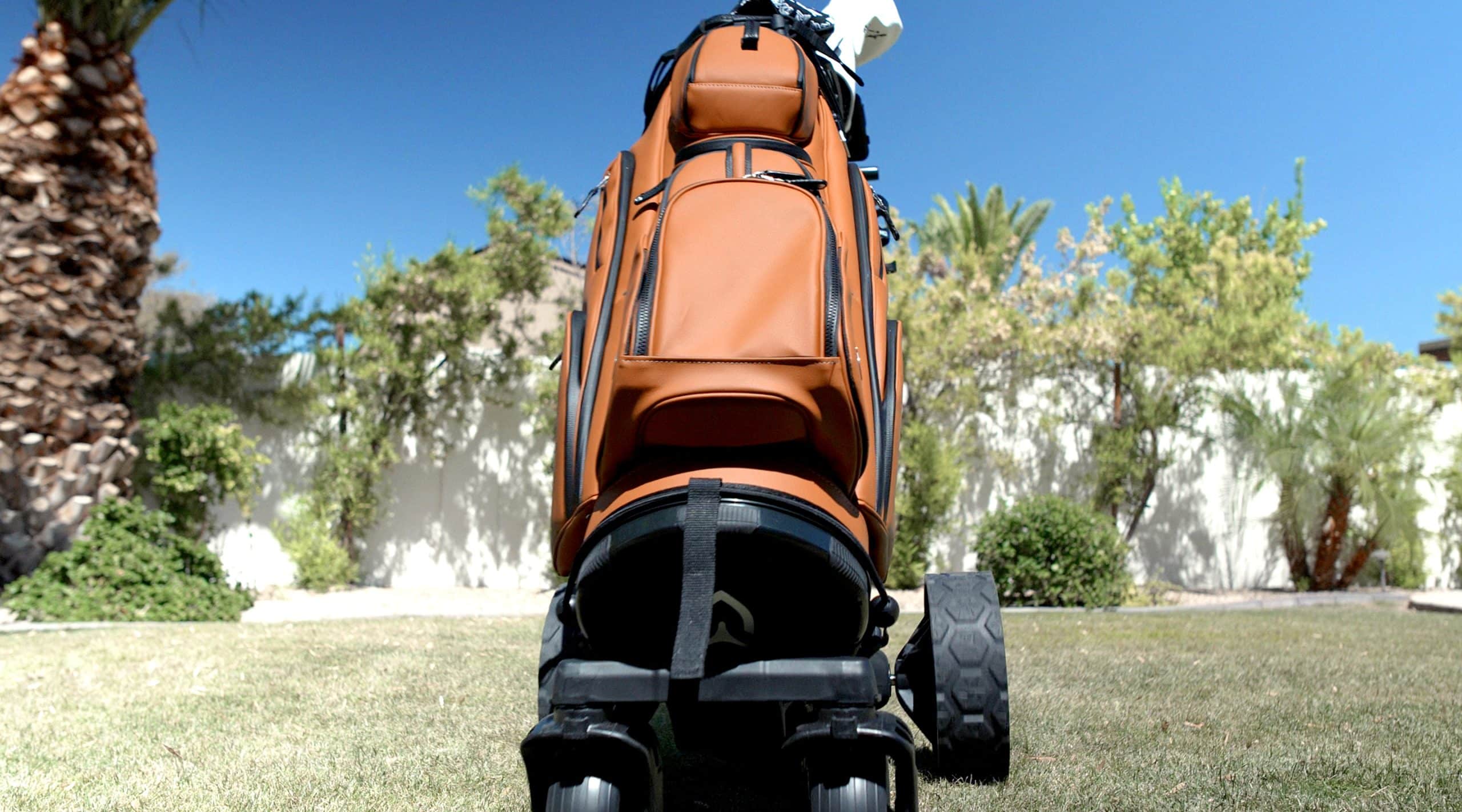
If you’ve stopped bringing an electric cart to a hilly course because of the constant corrections, this is the kind of cart I’d point you to. Downhill speed control regulates the pace on the way down so the cart doesn’t run away from you, and the gyro keeps it on its line. The five-wheel design with those all-terrain rear wheels provides stability that three-wheel and four-wheel carts simply can’t match. The centrally positioned battery enhances this stability even further, keeping the weight distribution perfectly balanced during climbs and descents. The fifth wheel has one setting now, so you just unfold it, with no second step to forget like on the cheaper Zip Navigator AT. If you’d rather skip the motor altogether, take a look at my izzo golf ezroll push cart review, because that’s a much simpler way to walk the course. So if you walk a hilly course, the gyro and the chassis are a big part of what you’re paying for.
The adjustable T-bar handle works in conjunction with the gyroscope to give you precise control when you need it. Set your walking speed (without needing the remote), and the cart matches your pace perfectly. That keeps the speed control in one place while you walk. That matters if you like walking beside the cart with a hand on the handle. And when you do want to send it ahead, the remote is right there on the side of the handle.
Folding, Weight and Battery
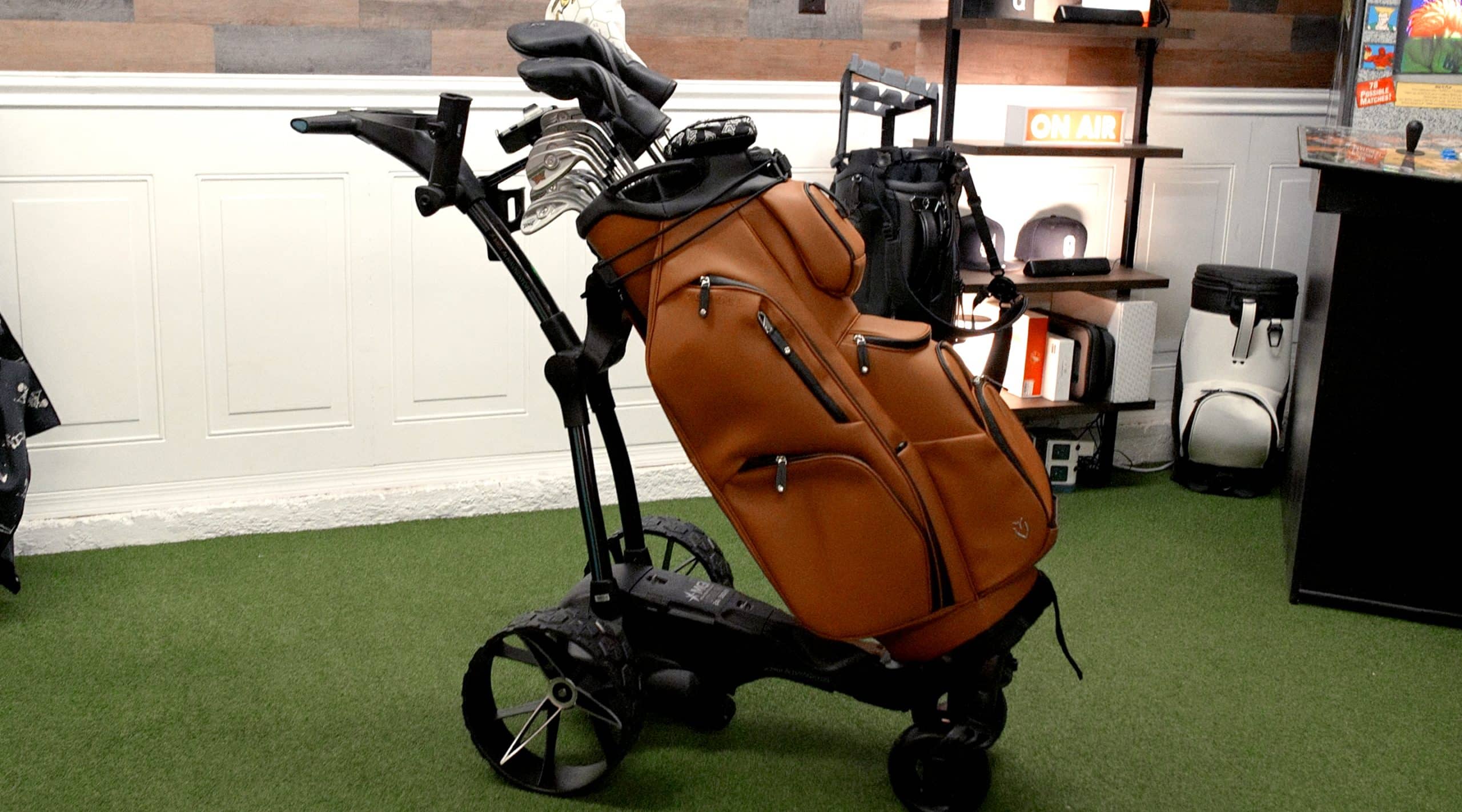
Let’s talk practical matters, because a cart can have all the features in the world, but if it’s a pain to transport and store, it’s not worth it. The fold is one button: press it, push down to fold, pull up to unfold. Folded with the rear wheels inverted, it measures 24.4″ x 18.11″ x 15.35″, which is genuinely small for an electric cart. MGI’s cheaper Zip Navigator AT folds to 28 x 19 x 17 inches, so this one takes up noticeably less of your trunk.
Setup is easy too. The wheels slide on without tools and the battery drops into the middle of the chassis. The Zip Navigator AT needs two levers to fold, so this is a real step up. That’s the kind of thing you notice every single time you get to the course. Compare that to some electric carts that require tools or complicated sequences to fold, and you appreciate the thought that went into this design.
Weight is always a concern with electric carts, and at 39 pounds with the battery, this isn’t light. It’s nearly six pounds heavier than MGI’s newer Halo, so if you load the cart by yourself every round, take that seriously. The lithium battery clicks in and out smoothly, so you can remove it to reduce weight for storage or charge it separately. The 24V lithium battery powers through 36 holes on a single charge, which is enough for a 36-hole day without a recharge.
The included accessories are worth a mention too: a drink bottle holder, an umbrella holder, a phone holder and a remote clip, all snap-on. The phone holder is the one I’d use most, because it keeps your phone where you can see it without taking up a pocket. None of it is exciting, but it all comes in the box, so you’re not ordering add-ons on day one. Small stuff like that tells me MGI thought about how people actually walk a round with this cart.
Connectivity and Your Stats
One thing worth knowing up front: you only need WiFi to register the cart, set it up and update the firmware. Nothing on the course depends on a connection, so a weak signal on the back nine won’t leave you without yardages. The course maps are on the cart itself, so once it’s set up, there’s nothing to load before a round.
The stats are where the cart can tell you something you didn’t know about your game. It tallies your fairways hit and whether your misses go left or right, round after round, and that’s a pattern you won’t spot on a paper card. Most golfers think they want those numbers and never look at them afterward, so be honest about which one you are.
If you leave the remote at home, the Topbox on the cart still lets you set your walking pace without it. You lose the steering from a distance, but you can still set the speed and walk the round beside it. And if something does go wrong, MGI covers the cart with a three-year warranty, which is a year longer than Motocaddy and most of the category.
Experience next-level golf with the MGI ZIP AI Navigator GPS+ Electric Push Cart, premium design, AI navigation, and effortless performance.
- Accurate GPS
- Powerful motor
- Easy to use
- Expensive
- Limited battery
- Complex setup
Frequently Asked Questions
Can the Cart Be Used in Rain or Wet Conditions?
You can use the cart in light rain and damp conditions thanks to its all-weather touchscreen and all-terrain wheels that provide good traction on wet grass. However, it’s not fully waterproof, so you’ll want to avoid heavy downpours or prolonged water exposure to protect the electronics, USB port, and battery system. After wet use, you should dry the cart thoroughly, especially around electrical components, to prevent damage and maintain your warranty.
Is the Battery Replaceable and Where Can I Purchase Extras?
Yes, your battery is replaceable and easily removable from between the rear wheels. You can purchase replacement 24V lithium batteries ($399-$549) directly from MGI Golf’s official website. They offer different capacities including 299Wh and 250Wh options that’ll power your cart for up to 36 holes. You can also buy spare batteries to keep on hand, ensuring you’re never stuck mid-round. Chargers and remote control batteries are available separately too.
Does It Work With All Golf Bag Sizes and Styles?
You’ll find it works with most golf bag sizes and styles thanks to its adjustable T-bar handle and bag support system. The five-wheel design and adjustable supports accommodate different bag shapes, while the quick-release rear wheels make switching bags easy. However, it’s not guaranteed to fit every possible bag – extremely large, heavy, or non-standard shaped bags might need extra securing methods. Check compatibility if you’ve got an unusual bag size.
Final Thoughts: MGI AI Navigator GPS+ Electric Push Cart Review
The MGI Zip AI Navigator GPS+ isn’t for everyone. If you’re a casual golfer who plays once a month and doesn’t care about tracking stats, this is overkill. If you’re on a tight budget, there are solid electric carts available for half the price. But if you’re a serious golfer who walks regularly, values technology that actually improves your game, and wants the best electric cart experience available, this is it. After ranking nearly every premium push cart on the market, I’d pick the MGI Zip AI Navigator GPS+ if you want GPS on the cart and don’t want to pay for the Halo. Yes, it’s expensive, and it’s heavy, but for a walker who’ll actually use the GPS and the stats, I think it’s worth it. If you already carry a rangefinder or a GPS watch you trust, though, I’d think hard before paying for a second screen on the cart. In my MGI Zip Navigator review, I walked through the cheaper Zip, and the GPS+ beats it on the fold, the remote, the fifth wheel and the battery placement before you even get to the screen. And if you lift the cart into the car alone every round, weigh the 39 pounds as seriously as you weigh the price. For those who prefer a different option, the MGI Zip X5 electric push cart is another MGI option worth comparing before you buy. It gives up some of the tech on the GPS+, so check which features you’d actually use before you pay for them. Ultimately, the choice between these carts depends on your personal playing style and how much you value innovative technology in enhancing your game.

About the author
Paul Liberatore
Paul Liberatore is the founder of Golfers Authority and a former three-year golf gear contributor to Sports Illustrated. He runs the Golfers Authority YouTube channel and the Behind the Golf Brand podcast, and he reviews golf equipment to help golfers make better buying decisions.