
Both of these sit right next to the ball, and both will run a home simulator. But only one of them reads shots off real grass, and only one of them is still sold new.
The Quick Verdict
If you want one launch monitor for the range and the garage, get the Bushnell Launch Pro. It works indoors and outdoors, it has its own screen so you can hit balls without a laptop, and it’s the one you can still buy new. Just go in knowing the hardware isn’t the whole bill. Club data and courses are yearly add-ons.
If you only ever hit indoors, the SkyTrak Plus was a great unit, and I’d still say so. The problem is SkyTrak doesn’t sell it anymore. So for most indoor golfers, the real SkyTrak choice today is its successor, the ST MAX, or a used Plus if you find a good one. And if any part of your practice happens on a grass range, skip the SkyTrak altogether.
They Solve the Same Problem From the Same Spot
Both of these are side-mounted units. You set them down beside the ball, not way back behind you, so they fit rooms where a radar unit runs out of depth. If you’re planning a room around the Bushnell, here’s what the Launch Pro actually needs for space.
That also means both of them have to move when a lefty and a righty share the bay. Neither one lets you just swap hitters and keep going. You pick the unit up and put it on the other side of the ball.
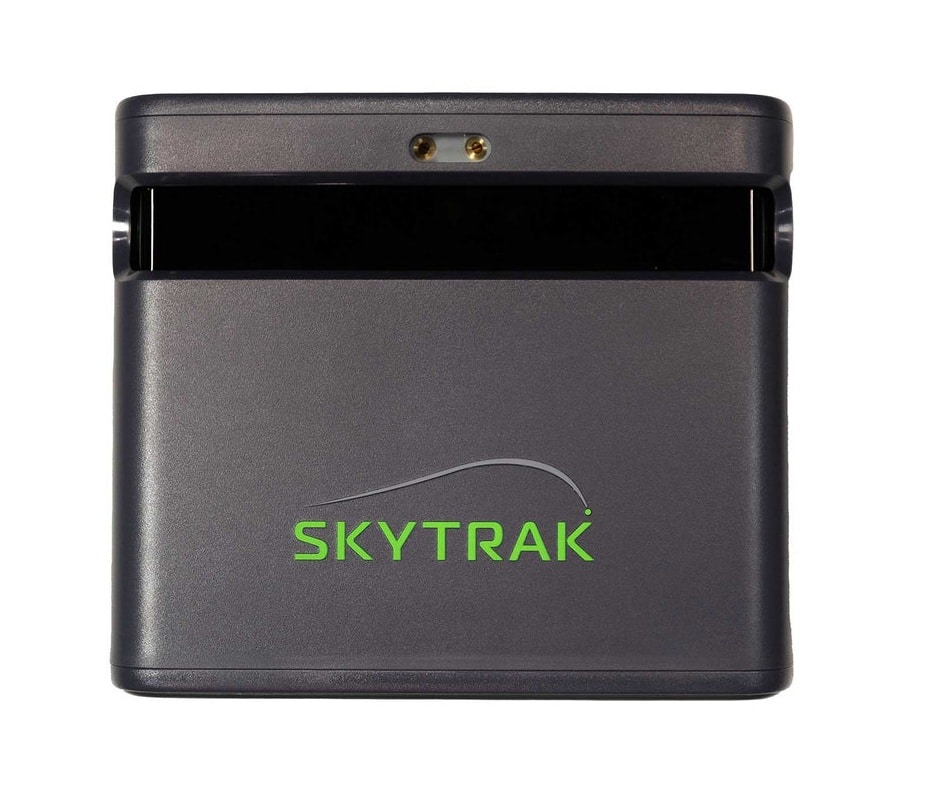
Where they split is what’s inside. The Launch Pro is a three-camera system, and it’s the same hardware as the Foresight GC3. The SkyTrak Plus pairs a photometric camera with dual Doppler radar for the club. So they’re not the same kind of machine, they just park in the same spot. If you’re still shopping the whole field, here are the launch monitors I’d look at first.
| Feature | Bushnell Launch Pro | SkyTrak Plus |
|---|---|---|
| Price | $2,999.99 | Launched at $2,995 in 2023, no longer sold new |
| Status | Current, sold as the Launch Pro Circle B | Discontinued, PlayBetter out of stock |
| How it tracks | Three high-speed cameras | Photometric camera plus dual Doppler radar |
| Where it sits | Beside the ball | Beside the ball |
| Screen | Built-in touchscreen | None, runs on a Windows PC, Mac or iOS device |
| Outdoor surface | Indoor and outdoor | Needed a mat in my range test |
| Angle of attack | Measured (club data needs Foresight+ Silver) | Not measured |
| Impact location | Not shown | Shown |
| Battery (rated) | 5 to 7 hours | 4 hours |
| Free software tier | Ball data on the screen | Basic practice range |
| Warranty | 1 year | 6 months or 25,000 shots, whichever comes first |
The SkyTrak Plus Isn’t Sold New Anymore
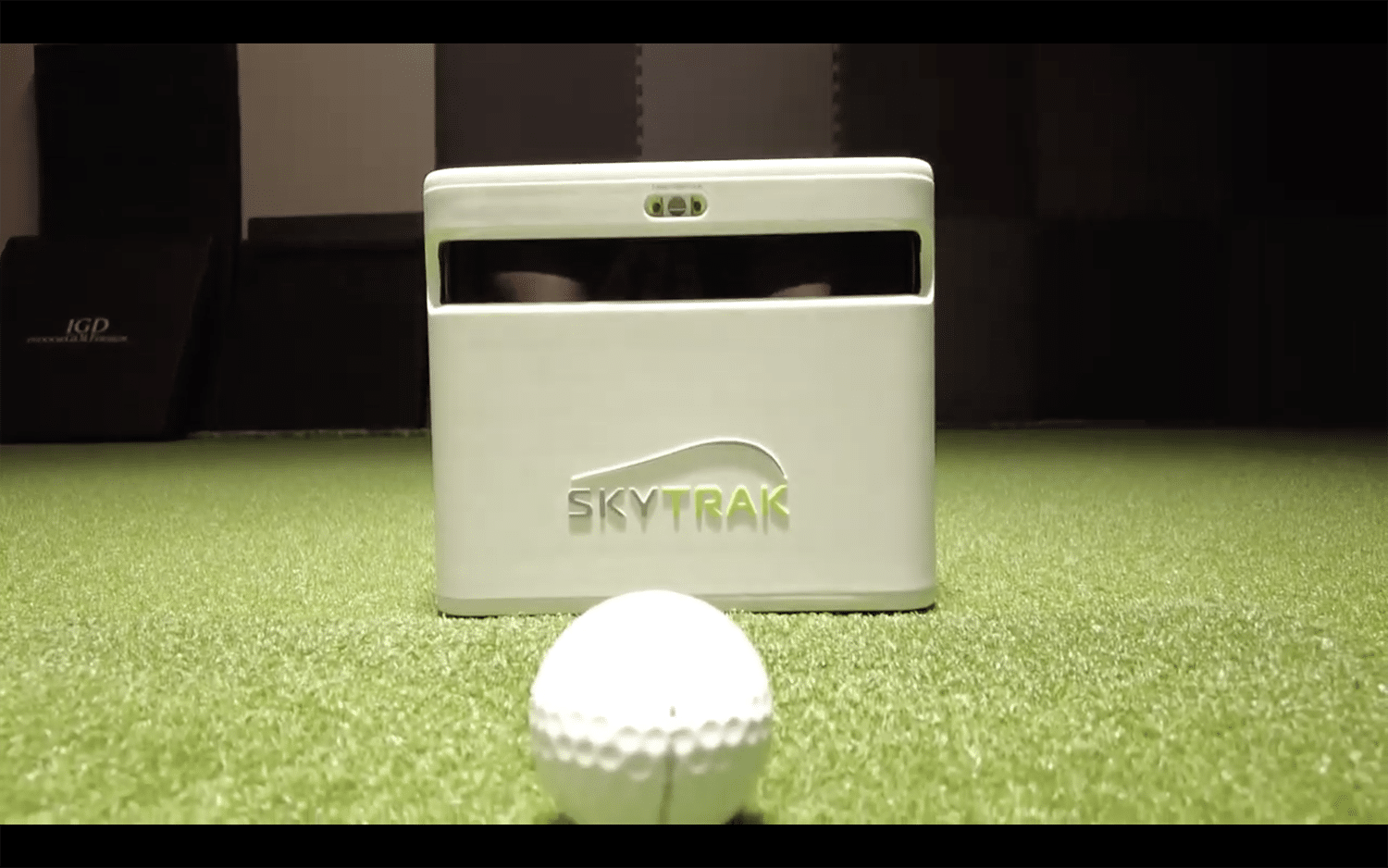
SkyTrak’s own page for the SkyTrak+, which is what SkyTrak calls the Plus, says it’s no longer available, and PlayBetter shows it out of stock. So the SkyTrak Plus you’re reading about is a used unit or nothing.
Here’s what took its place. The ST MAX uses the same dual Doppler radar and camera hardware. What you get on top is a faster processor that gets rid of the Plus’s short delay between strike and result, a second USB port, and speed training. If you’re cross-shopping those two, here’s my full SkyTrak ST MAX review, and if you already own a Plus or you’re eyeing a used one, here’s my SkyTrak ST+ review.
The Bushnell went the other direction. Bushnell actually discontinued the Launch Pro in 2025 for an indoor-only model with no screen, then brought it back as the Circle B Edition. Circle B is the orange colourway and logo. It’s the same Launch Pro hardware family, and Bushnell now just calls it the Launch Pro. Here’s what changed with the Circle B Edition.
Real Grass Is Where the SkyTrak Plus Falls Apart
The Launch Pro is built for indoors and outdoors. The SkyTrak Plus, in my testing, needs a mat.
When I took the SkyTrak Plus to the range with my golf instructor, it wouldn’t register the shot off normal grass. We even tried a ball on a tee without the mat, and it still didn’t pick it up. Put the mat down and it read it, no problem. Here’s that range test.
Now, here’s why it matters. A lot of the courses out here in Arizona are all grass, and without a mat, I don’t know if I’d be bringing it out to the range. And a mat that’s slipping and sliding around isn’t giving you the most accurate spin numbers anyway.
To be fair, the Launch Pro isn’t foolproof outside either. The cameras need a clear look at the club markers, and if it miscaptures outdoors, Bushnell’s own troubleshooting tells you to try shaded light. But unlike the Plus, it’s built to go to a grass range.
The Launch Pro’s Screen Means You Can Leave the Laptop Home
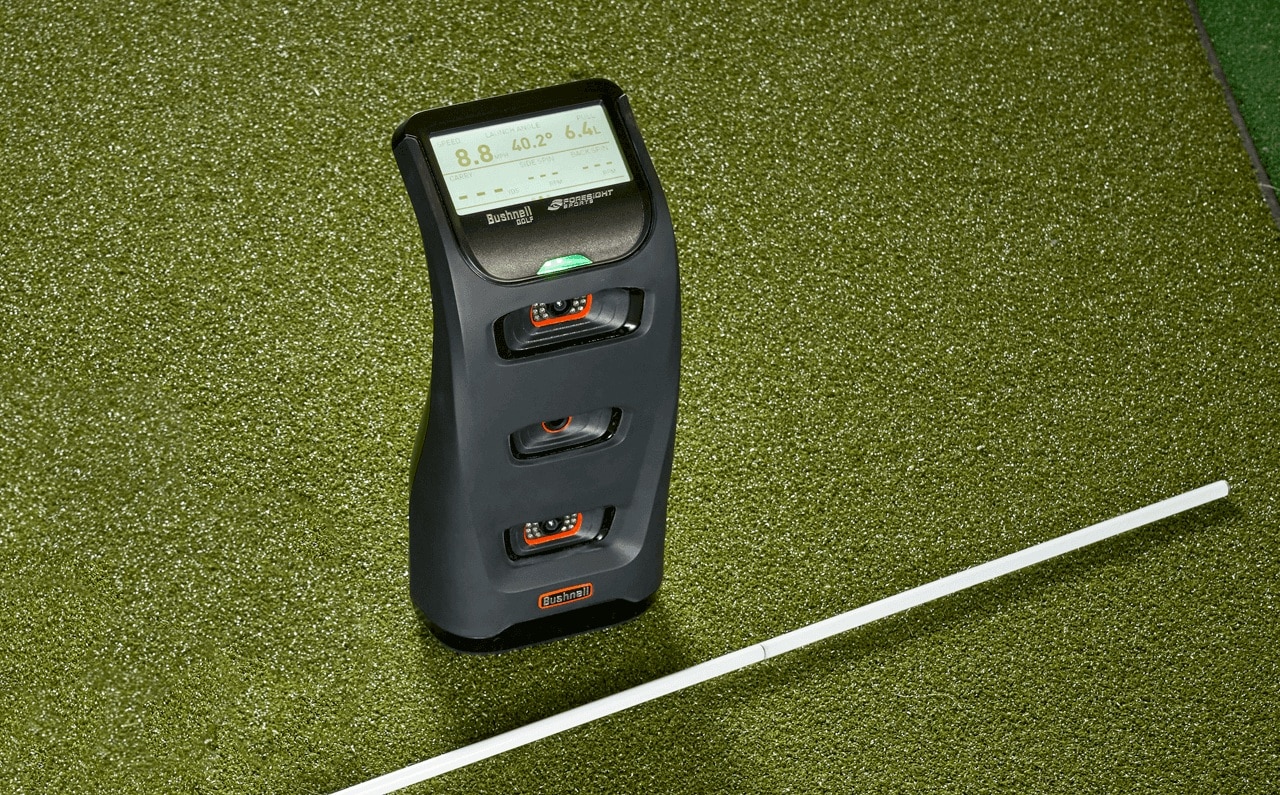
The Launch Pro gives you your numbers right on the unit. The SkyTrak Plus needs something to show them on.
Here’s how I put it in my Circle B video. You turn it on, you sit it down next to the ball, and you start hitting. The data shows up right there on the screen. It’s ready in about 30 seconds from power-on. For a range session, that’s the whole pitch.
The SkyTrak Plus has no screen. You run it through SkyTrak’s app on a Windows PC, a Mac or an iOS device, so a phone, tablet or computer is part of the setup every time.
Both run on a rechargeable battery, so the old idea that the Plus has to stay plugged in is wrong. Bushnell rates the Launch Pro at 5 to 7 hours, and SkyTrak rates the Plus at 4 hours. The Launch Pro also has a handle, and it weighs 5 lb.
Which One Tells You More About Your Club?
The Launch Pro gives you angle of attack. The SkyTrak Plus shows you where you hit it on the face. Each one shows you something the other one can’t.
On the SkyTrak Plus you get club head speed, smash factor, club path, face angle and face to path. What it doesn’t measure is angle of attack, and SkyTrak’s software updates haven’t added it. The Launch Pro measures it, but on the Launch Pro club data needs Foresight+ Silver and the club markers. And club path needs a sticker on the club.
Impact location goes the other way. The Plus shows where the ball came off the face. The Launch Pro doesn’t show it at all.
What about accuracy? In my January 2024 roundup, after testing more than a few launch monitors, none proved more accurate than the original Launch Pro. And indoors, I called the SkyTrak Plus numbers dead on accurate. I haven’t run these two on the same shots side by side, so I’m not going to hand you a winner on accuracy. Where you hit and what you pay every year is what splits them.
What You’ll Actually Pay After the Box
The Launch Pro costs more every year if you want club data and courses. The SkyTrak Plus starts you on a free practice range and charges for course play.
On the Launch Pro, everything runs through Foresight+. The Free tier gets you ball data on the screen. Club data on the Launch Pro needs Silver at $199 a year. Courses are separate, and Course Pass is $295 a year for 35 courses on top of Silver. If you want GSPro, that’s Gold at $599 a year, plus the GSPro license itself.
There’s one more thing on the Bushnell. It needs to get online at least once every 45 days to keep its app and software features active. Miss that and it still works as a stand-alone unit, it just stops connecting to the apps until you reconnect.
The SkyTrak Plus gives you its Basic practice range with no subscription. Courses are a paid SkyTrak membership. So with either one, if you want to play golf courses and not just hit balls, plan on paying every year.
What I Don’t Love About Each
The Launch Pro’s weak spot is the yearly software bill, and the SkyTrak Plus’s weak spot is a warranty that only runs 6 months.
Bushnell Launch Pro
Paul’s score: 4.7/5
The downside is the bill. You’re at $2,999.99 before you’ve paid for a single course, and the yearly tiers on top of that are what turn it into a full simulator. If all you really care about is carry and ball speed, that’s a lot of money to spend. Save it.
SkyTrak Plus
There’s a catch. There’s always a catch. The warranty on this one was never long to begin with: 6 months or 25,000 shots, whichever comes first. Bushnell gives you a year on the Launch Pro. That’s a short window on something this expensive, so know where that clock stands before you pay.
Who Should Buy Which
Buy the Bushnell Launch Pro if:
- You hit on a grass range as well as at home
- You want your numbers on the unit without a laptop or phone
- You care about angle of attack
- You’re fine paying yearly for club data and courses
Best for: Range and garage in one unit
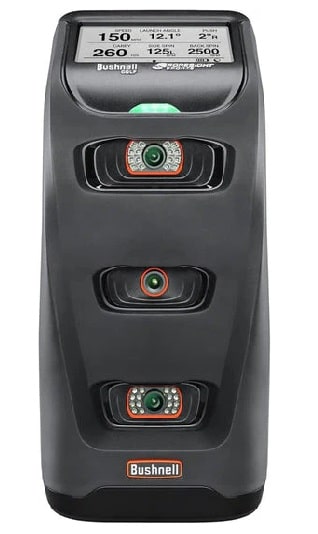
Unlock your best golf swing with the Bushnell Launch Pro. This launch monitor delivers pinpoint accuracy and detailed data to help elevate your game.
- Accurate data
- Portable design
- Easy to use
- Expensive
- Needs clear view
- Limited software compatibility
Buy the SkyTrak Plus (or Its Successor, the ST MAX) if:
Paul’s score: 4.5/5
- You only ever hit indoors
- You want to see where you hit it on the face
- You’re happy starting on a free practice range
- You’d rather buy the current model than hunt for a used Plus
Best for: Indoor-only simulator builds, current SkyTrak model
- Accurate shot data
- Portable and easy setup
- Compatible with simulators
- Expensive
- Needs good lighting
- Limited club info
Frequently Asked Questions
Do you need a subscription to use the Bushnell Launch Pro?
No, not for ball data. The free Foresight+ tier shows your ball data right on the built-in screen. You need Silver for club data, and courses are an extra Course Pass on top of that.
Is the Bushnell Launch Pro discontinued?
No. It was off the market for a stretch while Bushnell pushed a screenless indoor unit, and then it came back. You can buy it new today, and that’s the Circle B version.
What’s the difference between the Bushnell Launch Pro and the Circle B Edition?
Mostly the paint. The Circle B Edition wears the new orange look and logo, but underneath it’s still the Launch Pro. Just don’t mix it up with the LPi, the indoor unit that doesn’t have a screen.
Can you use the SkyTrak Plus outdoors?
Yes, but off a mat. When I tested it at the range, it wouldn’t register shots off real grass, and it picked them up once we put a mat down. If you practice on grass, it’s the wrong unit.
Can left-handed golfers use the Launch Pro and the SkyTrak Plus?
Yes, both of them. They both sit beside the ball, so you move the unit to the other side when a lefty steps in. Neither one stays put for both.
Final Thoughts on Bushnell Launch Pro vs SkyTrak Plus
The honest limitation here is that the matchup changed under everybody. The SkyTrak Plus isn’t something you can buy new anymore, so a lot of old comparisons are pricing a unit that’s gone.
So it comes down to where you hit. If a grass range is part of your week, buy the Launch Pro and budget for the software. If you’re strictly indoors, go SkyTrak, and make it the ST MAX unless a used Plus is too good to pass up.

About the author
Paul Liberatore
Paul Liberatore is the founder of Golfers Authority and a former three-year golf gear contributor to Sports Illustrated. He runs the Golfers Authority YouTube channel and the Behind the Golf Brand podcast, and he reviews golf equipment to help golfers make better buying decisions.