

You'll need a 64-bit Windows 10 or 11 PC with at least a 7th gen Intel i5 processor and 8GB RAM to run Launch Pro—Mac users are out of luck. For the FSX app, grab an iPad 7th Gen or newer with iOS 16.4 and 3GB RAM. Space-wise, you'll want a minimum 10x12 foot indoor area with 8.5-foot ceilings, though bigger is better for comfortable swings. The base unit gives you free ball data, but you'll need a Gold subscription ($499/year) for simulator access. Stick around to see exactly what's included in the box!

Unlock your best golf swing with the Bushnell Launch Pro. This launch monitor delivers pinpoint accuracy and detailed data to help elevate your game.
Before you drop serious cash on the Bushnell Launch Pro, you'll want to make sure your computer can actually handle it. This isn't some basic app; it's a full-blown golf simulator that demands real horsepower. You'll need a 64-bit Windows 10 or 11 system, because Mac users are completely out of luck here. For your processor, think 7th-generation Intel i5 minimum, though an i7 or i9 will serve you better. AMD chips? Not recommended. Your system needs at least 8 GB of RAM, but 16 GB is smarter if you're running advanced features like Swing Catalyst. On the graphics side, you'll want an Nvidia GeForce RTX 3060 or better to handle the 3D visuals smoothly. You should also have Microsoft .NET Framework 3.5 and 4.5.2 installed for optimal software compatibility. The point is: skimping on specs means laggy performance and frustration. Check your computer's capabilities before buying!
If you're planning to run the Launch Pro using your iPad instead of a PC, you'll need to make sure your device meets some specific requirements for the FSX app. To begin with, you'll need iOS 16.4 or greater, though updating to the latest version is your best bet for smooth performance. The important point is: your iPad also needs at least 3GB of RAM to handle real-time data transfer without hiccups. This covers iPad 7th Gen and newer, all iPad Air models from 3rd Gen onward, iPad Mini 5th and 6th Gen, plus every iPad Pro from 2016 forward. The app's free to download at 545.5 MB, but you'll need an active FSX license to actually use it! Once you've downloaded the app, you'll need to accept the EULA before you can proceed with signing in. Alternatively, if you have a Golf Coach 3 or Launch Pro device, you can use an FSX Live account to unlock all features of the FSX Pro app.
When you're setting up your Launch Pro, the space you'll need depends entirely on whether you're hitting balls indoors or taking it outside.
Outdoor setups are straightforward; you've got no space limits! You can use it on the range, on a course, or in any open area. The Launch Pro's portable design doesn't need an enclosure, and it performs reliably in ambient light.
Indoor setups require more planning. Your absolute minimum is 10 feet wide, 12 feet deep, and 8.5 feet high. That's tight but workable! For comfortable play, aim for 10 feet wide, 14 feet deep, and 9 feet high. The ideal setup? You're looking at 18 feet long, 15 feet wide, and 10 feet high. This allows full immersion with proper screen distance and swing clearance.
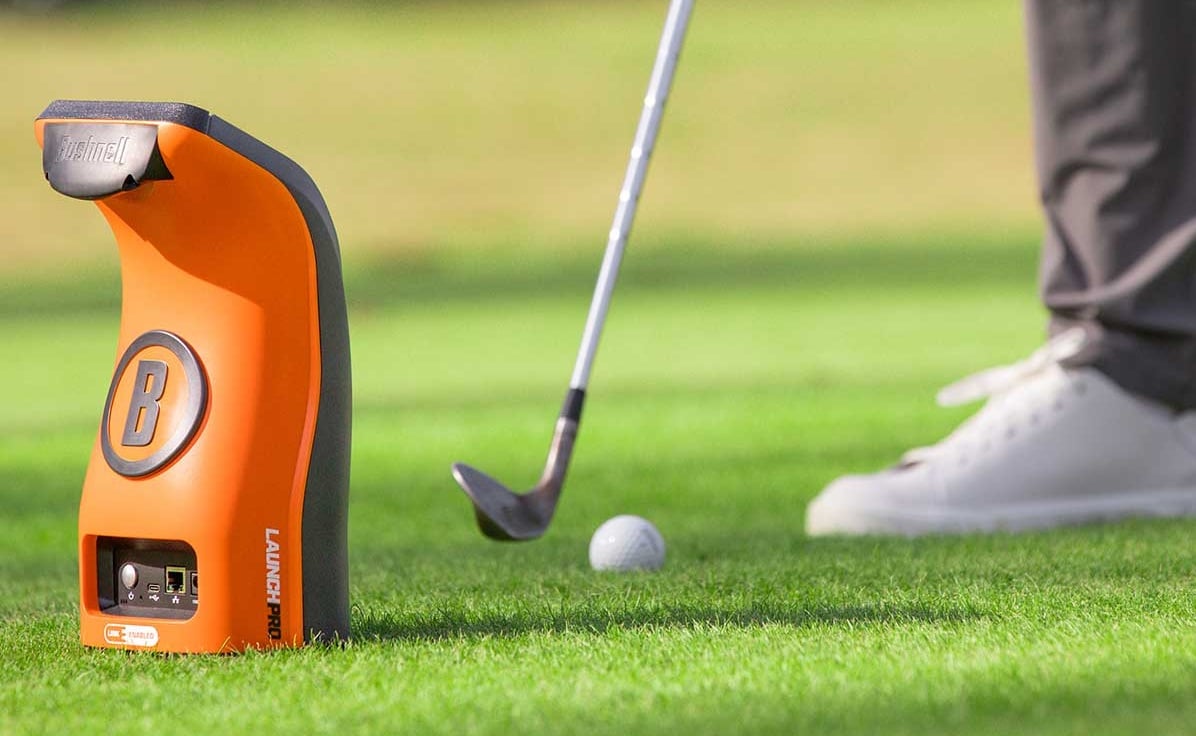
The Launch Pro utilizes high-speed/high-resolution cameras combined with infrared technology to measure critical data points, including carry distance, clubhead speed, launch, and spin. This technology allows you to practice in any safe location while getting accurate feedback on your performance.

You've got your space dialed in, but now you need to figure out what the Launch Pro can actually do, and that depends entirely on which software tier you choose. The key point is: the base unit gives you full ball data (carry distance, spin, launch angle) through the Foresight App for free. No club data, though. Silver costs $199 yearly and adds basic club metrics plus 5 FSX Play courses and Pinseeker wagering. Gold runs $499 annually and reveals 25 courses, full session saving, and, most crucially, third-party software like GSPro and e6 Connect. If you want to use popular simulators, Gold's mandatory. Previously, you could access these on lower tiers, but Bushnell changed that. Your Launch Pro includes a 14-day Gold trial to test everything out. You can purchase subscriptions at live.foresightsports.com by signing in to your FSX LIVE username associated with your device registration.
Unlock your best golf swing with the Bushnell Launch Pro. This launch monitor delivers pinpoint accuracy and detailed data to help elevate your game.
Inside the Launch Pro box, Bushnell includes six core items that get you up and running without any surprise purchases. You'll find the Launch Pro device itself (with a built-in lithium-ion battery), a USB-C cable for connecting to your gaming PC, an Ethernet cable for stable internet, a power cord with A/C adapter, an alignment stick for proper positioning, and a club marker pack with stickers for tracking club data.
The built-in battery is a revolutionary element—the 5-pound unit runs without being plugged in, so you can take it to the driving range or set it up anywhere outdoors. The device features a barometric sensor that automatically adjusts readings based on altitude and air density for maximum accuracy. For iPads, you'll need iOS 16.4 or greater to run the FSX Pro application. The important point is: while cables and accessories are covered, you'll need to buy a gaming PC separately for FSX software operation.

Yes, you can use your Launch Pro with a Mac, but there's a catch. You'll need an Apple Silicon Mac (not the older Intel ones) running MacOS 11.0 or later. The native FSX software won't work on Mac at all, so you'll need to use Awesome Golf Simulator instead, which you can download from the App Store. You can connect through WiFi, USB-C, or Ethernet cable, and you're good to go!
The Launch Pro won't work directly with Android tablets or phones as your main device. The key point is that it requires a 64-bit Windows 10 PC or greater to run the primary software. However, you can download the Foresight app on your Android device for basic data display and LINK features, plus the Awesome Golf Simulator app offers potential connectivity options when you're on the same Wi-Fi network.
The fact of the matter is, the background information doesn't specify a minimum internet speed requirement for the Launch Pro's online play features. You'll need an internet connection at least once every 45 days to keep full functionality, but there's no mention of specific speed thresholds. Your standard home Wi-Fi or mobile hotspot should work fine, though faster connections typically provide smoother online experiences.
No, you can't upgrade from FSX Play to FSX Pro. The reality is, they're completely separate software platforms designed for different systems. FSX Play runs on gaming PCs with compatible launch monitors like the GC2 or GCQuad, while FSX Pro is exclusively made for iPads paired with the Launch Pro. They're not interchangeable or upgradeable between each other, so you'll need to choose based on your hardware setup.
No, you don't need to calibrate your Launch Pro before each use. The target alignment resets when you power off the unit, but that's different from requiring calibration. As long as you place the device on the same level as your ball, you're good to go! The only time you'll need battery calibration is if you've disconnected the battery, replaced it, or left it unused for a long time.
Now you've got the full image of what it takes to run the Launch Pro system. The computer or iPad requirements aren't too demanding, you'll need some decent space to set up properly, and the subscription costs vary based on which features you want. Make sure you've checked off everything on this list before you buy, so you're not caught off guard. Once you're ready, you'll have a seriously capable launch monitor that'll help take your game to the next level!

