
You’ll get more accurate data with the Garmin R50’s three high-speed cameras ($4,999.99), which directly measure spin and ball flight, compared to SkyTrak Plus’s radar-based estimates ($1,999-$2,995). The R50 works anywhere with its built-in 10-inch touchscreen and weather-resistant design, while SkyTrak Plus needs consistent indoor lighting and a separate device to operate. The key point is: R50’s $99 annual subscription versus SkyTrak’s $350 fee narrows that $2,000-$3,000 price gap over time. The comparison runs deeper than initial cost, though.
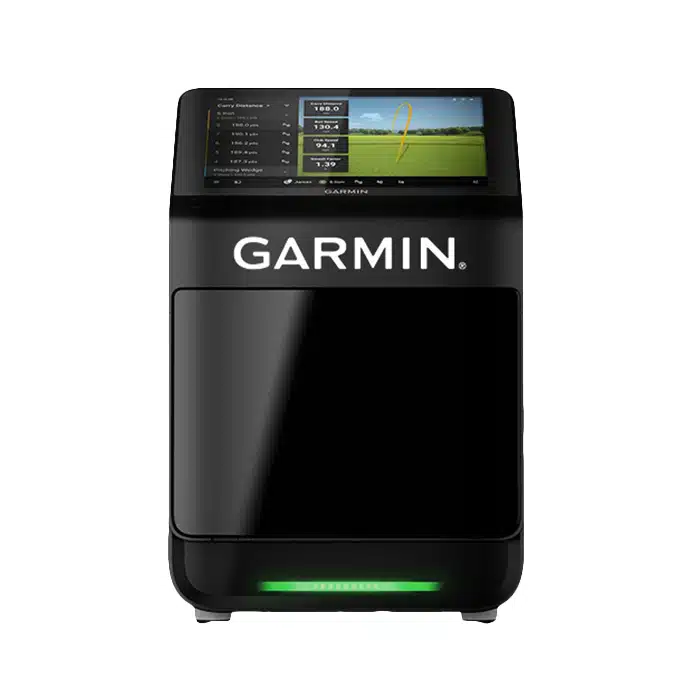
Experience top-tier golf precision and tracking with the Garmin Approach R50, designed for serious golfers seeking advanced performance.
How R50 and SkyTrak Plus Track Your Shots Differently
When you’re comparing these two launch monitors, the biggest difference comes down to how they actually “see” your golf shots. The R50 uses three high-speed cameras that capture direct measurements of everything happening at impact, think of it like having slow-motion replay technology right at your feet. It tracks over 15 metrics, including spin rate and spin axis, by actually watching the ball, not guessing. SkyTrak Plus takes a different approach with dual Doppler radar sensors that track your ball’s flight path after you’ve hit it. The point is: radar systems like SkyTrak Plus estimate spin rates through algorithms, while the R50’s cameras measure them directly. You’ll also need more space for radar to capture the full flight!

R50 vs SkyTrak Plus Accuracy: What the Data Shows
Understanding how each system tracks your ball is one thing, but the real question on every golfer’s mind is simple: which one gives you the most accurate numbers?
Here’s the thing: R50 delivers impressive accuracy. When tested against the Foresight GCQuad, R50’s ball data aligned almost perfectly across ball speed, launch angle, spin, and carry distance. Against Trackman, it averaged 218.4 yards per carry versus 226 yards, with just 0.82% ball speed difference.
SkyTrak+ also performs well, though it’s got some quirks. Club path and face angle readings are very good, but you’ll occasionally see physically impossible numbers like 1.60 smash factor.
PlayBetter’s testing gives R50 the accuracy edge in general. Both systems deliver reliable photometric accuracy, but R50 earns top marks for consistent performance indoors and outdoors. Garmin’s three high-speed cameras provide more comprehensive ball flight tracking compared to SkyTrak Plus’s single photometric camera and dual Doppler radar setup. For 99.5% of golfers, the accuracy differences between these devices won’t be noticeable in practice. the garmin approach r50 features overview indicates that its advanced algorithms contribute to more precise data interpretation, enhancing the overall user experience. Additionally, its user-friendly interface allows seamless navigation through various features, making it accessible for golfers of all skill levels. With integrated training programs and course management tools, the R50 offers golfers comprehensive support both on and off the course.
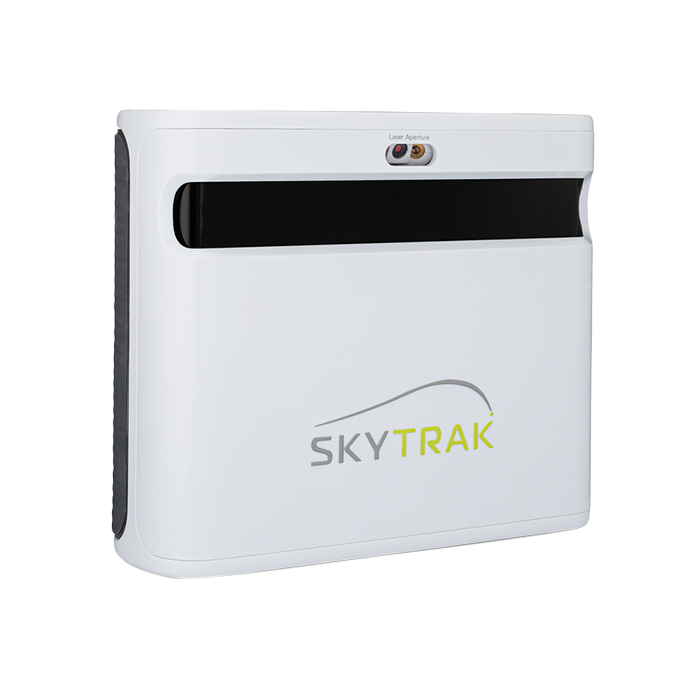
Experience pro-level precision with the SkyTrak+ Plus Golf Launch Monitor, delivering unmatched accuracy and real-time shot data.
Where Each Launch Monitor Works Best: Indoor and Outdoor Use
Before you drop serious cash on either launch monitor, you need to know where you’ll actually use it, because these two couldn’t be more different when it comes to versatility.
The R50 works seamlessly anywhere. You’ll get accurate readings indoors and outdoors thanks to its built-in barometer that adjusts for atmospheric pressure. The 4-hour battery lets you pack it up and hit the range, and the IPX3 water rating means light rain won’t ruin your session. The lightweight, battery-powered design makes it easy to move between your home setup and the driving range without hassle. The unit comes in a quality carrying case with a shoulder strap designed specifically for easy transportation to golf simulators or ranges.
SkyTrak Plus is basically an indoor-only device. The key point is: its camera system needs consistent lighting to work properly. Outdoor sunlight? That’ll mess with its readings. You’ll need a shaded setup or net configuration outdoors, which defeats the purpose of portability.
If you want flexibility, the R50 wins hands down.

R50’s Built-In Screen vs SkyTrak Plus App Setup
Right out of the box, the R50 gives you something SkyTrak Plus can’t match: a massive 10-inch touchscreen that puts every stat right in front of you, no phone or tablet required. You’ll see crisp, responsive data even in bright sunlight, and the 800×1280 resolution displays more information than competing units.
SkyTrak Plus takes a different approach. You’ll need to download an app, pair your device via Bluetooth, and deal with the occasional connectivity hiccup. That means you’re juggling your launch monitor and your tablet every session.
Here’s the thing: the R50’s built-in screen eliminates those pairing headaches entirely. You can customize the interface, check your shot indicator light, and adjust brightness without touching another device. Both units support HDMI output to bigger screens, but only the R50 works standalone. If you’re looking to integrate either launch monitor into a complete setup, SimSpace offers comprehensive simulator bundles that include everything from hitting mats to enclosures for a turnkey solution.
Is the Garmin R50 Worth $2500 More Than SkyTrak Plus?
All those convenience features sound great until you see the price tag. The R50 sits at $4,999.99, while SkyTrak Plus costs $1,999 to $2,995, often discounted lower. That’s a $2,000 to $3,000 gap you’ll need to justify.
Here’s the thing: the price difference isn’t just upfront. SkyTrak Plus requires $350 annually for Fundamentals plus Course Play ($130 base plus $220 for courses), while R50’s Home Tee Hero plan runs just $99 yearly. Over five years, you’ll spend $1,750 on SkyTrak subscriptions versus $495 for R50.
The R50 justifies its premium if you want a built-in simulation without extra hardware. But for budget-conscious golfers capping their setup at $3,000, SkyTrak Plus delivers exceptional value, which explains why it dominated 2023’s launch monitor sales. Over a 3-5 year span, R50’s lower subscription costs may help offset that steep initial investment.

Frequently Asked Questions
Can I Use Either Launch Monitor for Club Fitting Sessions?
You can definitely use the Garmin R50 for club fitting sessions since it tracks 15+ metrics including spin rate, club path, and face angle. The triple-camera system captures precise measurements, and the E6 Apex subscription adds club fitting tools for $150/year. However, there’s no available data showing the SkyTrak Plus offers similar club fitting capabilities or metrics, making the R50 your better option for fitting work.
Do R50 or Skytrak Plus Work With Third-Party Golf Simulation Software?
Yes, both work with third-party software, but you’ll need a PC for most options. The R50 connects to E6 Connect, GSPro, and Awesome Golf, though GSPro still has bugs as of late 2024. SkyTrak Plus supports TGC 2019, E6 Connect, and GSPro through PC or iOS apps. Here’s the catch: neither has HDMI output for direct app display, and you’ll likely need separate subscriptions for each platform beyond the base monitor costs.
What Is the Warranty Coverage for Each Launch Monitor?
The Garmin R50 comes with a standard manufacturer’s warranty from your purchase date, though it doesn’t cover cosmetic damage like scratches. You’ll work with authorized dealers for warranty support. The important point is that SkyTrak Plus warranty details aren’t readily available in product listings, which is frustrating. You’d need to contact SkyTrak directly for their specific coverage terms. The R50 also includes a 30-day return window, but expect a 15-20% restocking fee.
Can Multiple Users Save Separate Player Profiles on These Devices?
Yes, but only the Garmin Approach R50 offers this feature. You can add multiple user profiles through the device settings, letting family members or friends save their own data and preferences. Each person can sign in with their Garmin account, create a new one, or use a guest profile. The R50 even supports up to four players in competitive sessions! Unfortunately, there’s no available information about the SkyTrak Plus supporting multiple user profiles.
How Much Space Do I Need for Indoor Setup?
You’ll need about 10 feet wide, 10 feet deep, and 9 feet tall for a basic setup with either device. However, a full simulator package with screen and projector works best at 12 feet wide by 16 feet deep with 8.5-foot ceilings. Your 11.2 x 10.7-foot room with 9.2-foot ceilings is borderline tight, you can make it work, but you’ll be cutting it close on depth and width for comfortable swings.
Conclusion: Garmin Approach R50 vs SkyTrak Plus
Look, both launch monitors deliver solid performance, but your choice really comes down to budget and how you’ll use it. If you’re dropping $3,500 on the R50, you’re paying for that built-in display and premium Garmin ecosystem. The SkyTrak Plus at $1,000 gets you nearly identical data, but you’ll need your phone or tablet handy. For most golfers, that’s a fair trade-off that saves serious cash!

About the author
Paul Liberatore
Paul Liberatore is the founder of Golfers Authority and a former four-year golf gear contributor to Sports Illustrated. He tests golf equipment hands-on to help golfers make better buying decisions.