
The Garmin Approach R10 came out in 2021, and I still grab it as much as any of the other launch monitors I own. It’s the one I’d point most golfers to for real numbers at the range and a simulator in the garage, as long as you know the catch going in.
Is the Garmin Approach R10 worth buying?
Here’s the thing about the R10. In tech years, 2021 is ancient. There are newer launch monitors out there with cameras and screens built right in. But Garmin still sells this exact unit, and the reason it hasn’t gone away is pretty simple. It does the basics really well, and it doesn’t make you work for it.
So I’m going to walk you through what the R10 does well at the range and at home, where its numbers hold up and where they don’t, the catch, and who should buy it.
Quick Overview
- It’s a small Doppler radar that sits behind your ball and sends every shot to the Garmin Golf app on your phone or tablet.
- You get club data too: club head speed, club path, face angle and angle of attack.
- It works outside on mats or real grass, and inside into a net if your room has the depth.
- It plays sim golf through Garmin’s own Home Tee Hero app or third-party software like GSPro and E6 Connect.
- Garmin rates the battery at up to 10 hours, and it’s IPX7 water rated.
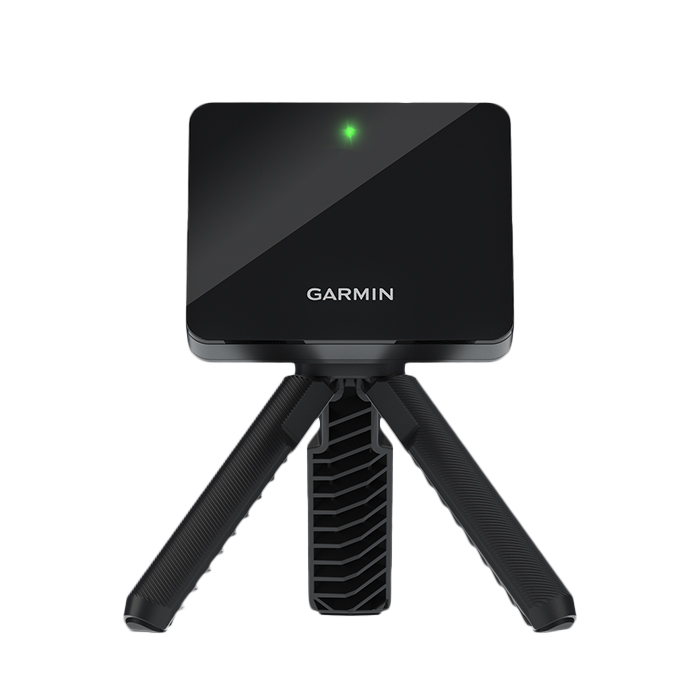
Experience advanced golf tracking with the Garmin Approach R10, a premium launch monitor delivering precise data and improving your game effortlessly.
- Compact and portable
- Provides 14 key ball and club metrics
- Long battery life (10 hours)
- No screen on the device
- Club data less reliable with short irons and wedges
- Home Tee Hero needs a Garmin Golf membership ($99.99/yr)
Garmin Approach R10 Specs
The Garmin Approach R10 is a 5.22-ounce Doppler radar launch monitor with no screen of its own, first released in 2021.
| Spec | Garmin Approach R10 |
|---|---|
| Model | Approach R10, US part number 010-02356-00 |
| Released | 2021 |
| MSRP | $499.99 (launched at $599.99 in 2021) |
| Technology | Doppler radar |
| Display | None on the unit; runs on a phone or tablet through the Garmin Golf app over Bluetooth |
| Club data | Club head speed, club path, face angle, angle of attack |
| Ball data | Ball speed, launch angle, launch direction, spin rate, spin axis, apex height, smash factor, carry, total distance, deviation |
| Measured vs calculated | Total spin is measured outdoors, and indoors with Titleist RCT balls; spin axis is calculated; face angle and distances are derived |
| Garmin’s published accuracy | ±3 mph club speed, ±1 mph ball speed, ±1 degree launch angle and direction, ±5 yards carry |
| Placement | 6 to 8 ft behind the ball, red line aimed at your target |
| Indoor space | At least 8 ft from ball to net, plus the 6 to 8 ft behind the ball |
| Battery | Up to 10 hours, USB charging |
| Water rating | IPX7 |
| Weight | 5.22 oz (148 g) without tripod; 7.79 oz (220.8 g) with tripod |
| Dimensions | 3.5 x 2.8 x 1 in without tripod |
| Garmin course play | Home Tee Hero app, 43,000+ courses, Garmin Golf membership required |
| Third-party sim software | GSPro, E6 Connect, Awesome Golf, The Golf Club 2019, each bought separately |
| In the box | Carrying case, magnetic tripod, charging cable, two-piece phone mount |
| Warranty | 1-year limited |
Setup Takes a Couple of Minutes, and Outside It Almost Never Misses
When I bring a launch monitor out to the range, I just want it to work. I don’t want to screw around with an in-depth setup, and I don’t want to keep wondering if it found the ball. I just want simple reliability.
That’s where the R10 earns its spot. Take it out, put it on the tripod, open the app, connect it, and you’re hitting shots in a couple of minutes. Outdoors, in my experience, it almost never misses shots, and it handles both mats and real grass without any issues. Compared to the finicky setups on some of the competition, the R10 is kind of idiot proof.
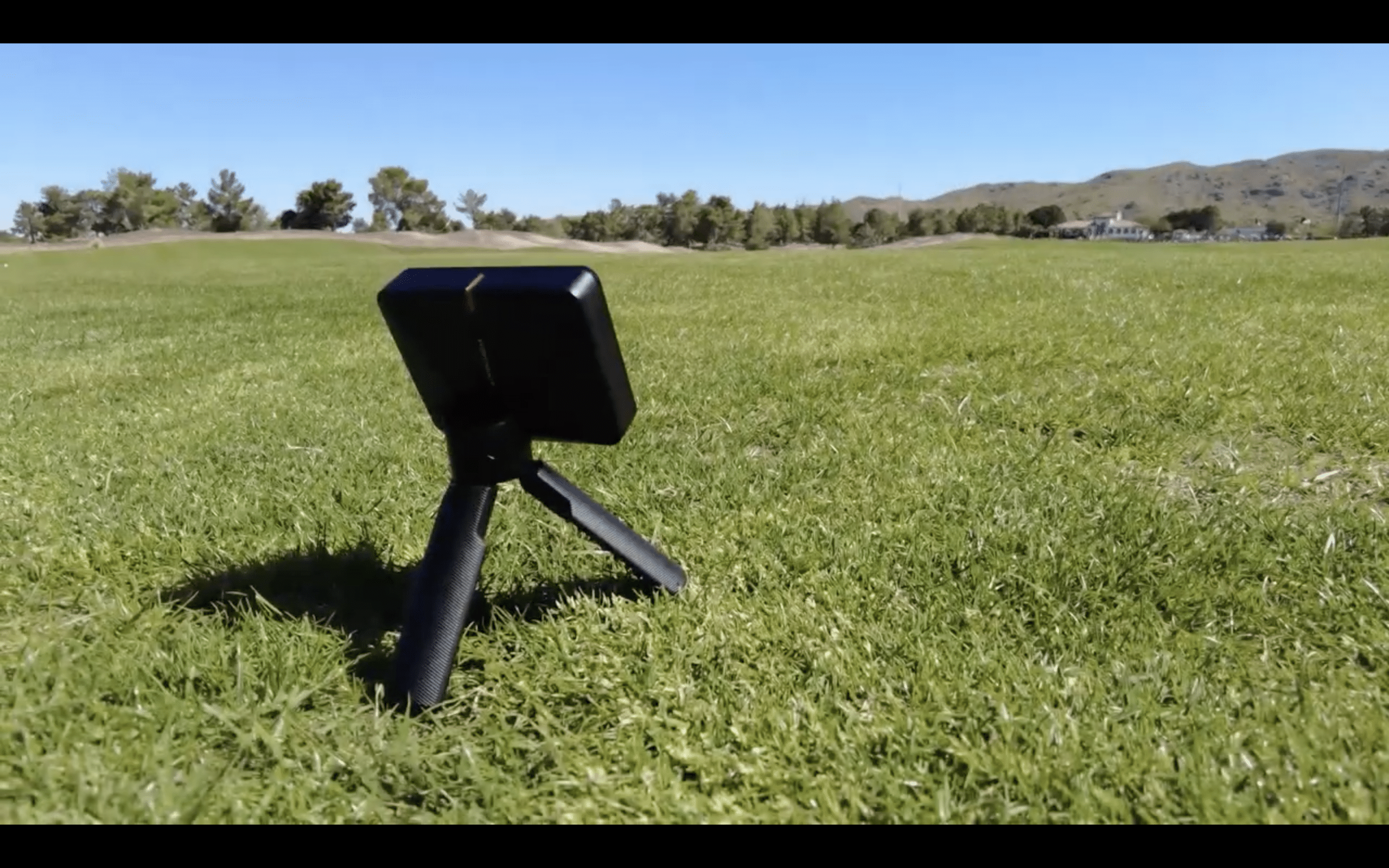
The one thing you do have to get right is the aim. You set the R10 behind your ball and line up the red line on the unit with your ball and your target. Garmin reads your ball and club angles relative to that target line. So if the unit’s pointed a little left, a dead-straight shot can show up right, and your face and path numbers move with it.
And I’ll be honest with you. When I first started using the R10, I was having some issues with its accuracy. So take the extra few seconds to line it up. It matters.
It’s also small enough to toss in a pocket of your golf bag, so it’s there every time you hit the range. If most of your practice happens at the range and you hate fiddling with gear, this is the R10’s best argument.
The Numbers Are Good Enough to Practice With, Not Perfect
I’m not going to call the R10’s data and shot reading perfect. There’s no way. But it’s better than it has any right to be. Carry distances are solid. Ball and club speeds are very trustworthy.
The club data is the R10’s real edge. Club path, face angle and angle of attack are the numbers that explain why your ball curved, instead of just telling you it went right. If you’re trying to fix a slice, not just measure it, that’s the reason to look at this thing over a launch monitor that only gives you speed and carry.
Now, not every number is measured the same way. Garmin says the R10 measures total spin outdoors, and indoors when you hit Titleist RCT balls. Spin axis is calculated, and face angle and your distances are derived. So read face angle and spin axis as really good estimates, not gospel. And if you care about spin in the garage, RCT is the ball to hit.
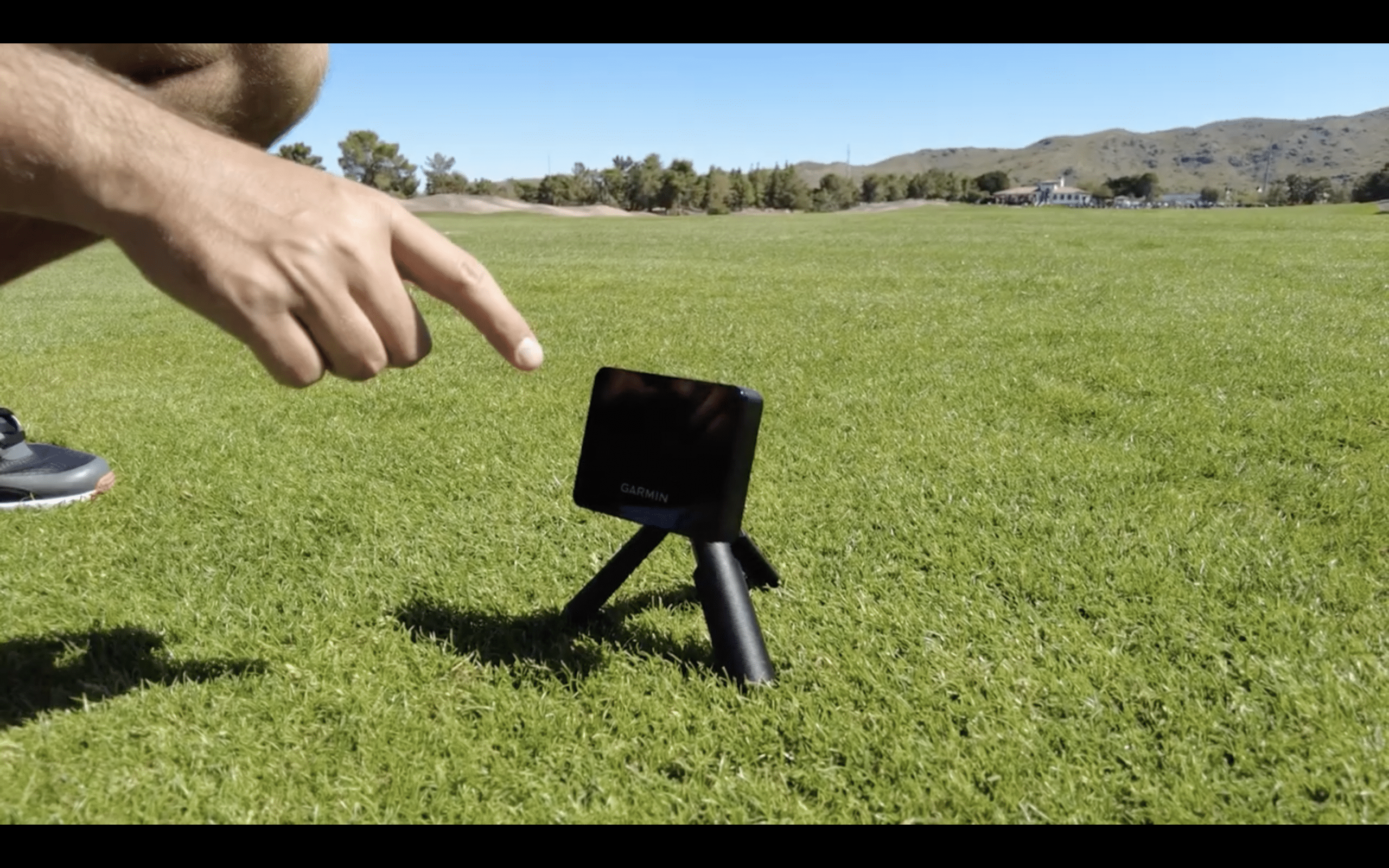
Here’s how I’d use it. Pay attention to the trends across a session, not one weird shot. If your path keeps reading out to in on every 7-iron, that’s a big clue to your slice, and that’s exactly the kind of thing you bought the R10 to find.
It Turns Into a Home Simulator, and You Pick the Software
Garmin’s own course play is Home Tee Hero. It’s a separate app with over 43,000 courses, and you need a Garmin Golf membership to use it, either monthly or yearly.
Honestly, it’s fun. It’s really addictive. Being able to tee up on a version of your own home course is pretty cool. And Garmin gave Home Tee Hero a big graphics upgrade. It’s noticeably better, with more detail, more lifelike environments and more immersive courses.
But you’re not locked into Garmin’s software. The Garmin Golf app has an Other Simulators menu for hooking the R10 up to third-party programs like GSPro, E6 Connect and Awesome Golf. Just know those are their own purchases. Garmin’s membership doesn’t cover them. If E6 is the one you’re eyeing, here’s how E6 Connect works with the Garmin R10.
And none of this touches your range practice. The driving range side works without a membership.
So if you want to play real courses in the garage this winter, the R10 gives you an easy way in and two different directions to go once you’re hooked.
Garmin Golf Puts Your Range Sessions Next to Your Rounds
If you’ve got a Garmin watch, a Garmin rangefinder or a Garmin GPS unit and you add the R10, everything feeds into the Garmin Golf app. So now your range sessions and your on-course rounds live in the same spot.
That’s a bigger deal than it sounds. You’re not just looking at numbers from a mat. You can see whether the thing you’re working on at the range actually shows up when you play.
It’s the app tying it all together, so think of it as one home for your golf data. If you already wear a Garmin on the course, that makes the R10 an easier call.
What I Don’t Love
There’s a catch. There’s always a catch.
First, there’s no screen. Every shot and every session runs through the Garmin Golf app on your phone or tablet. If you want to glance down at the unit and see your carry, the R10 can’t do that.
Second, it needs room indoors. Garmin wants the R10 6 to 8 feet behind the ball, and the ball at least 8 feet from the net. Add those up and you need 14 to 16 feet from the unit to the net, and that’s before you leave room to swing a driver safely. Here’s the full breakdown of the Garmin R10 space requirements.
Third, the spin and club numbers get shakier as the club gets shorter and the strike gets worse. It’s at its best on good swings with your longer clubs. Wedges and mishits are where you’ll see numbers that make you scratch your head.
So if your room is short, a radar that sits behind the ball is the wrong tool, and a camera unit that reads the ball at impact makes more sense. If it’s a camera in the unit that’s tempting you, my Rapsodo MLM2PRO vs Garmin R10 comparison puts those two side by side. And if you’d rather see the whole field, here are the best launch monitors I’d look at.
Experience advanced golf tracking with the Garmin Approach R10, a premium launch monitor delivering precise data and improving your game effortlessly.
- Compact and portable
- Provides 14 key ball and club metrics
- Long battery life (10 hours)
- No screen on the device
- Club data less reliable with short irons and wedges
- Home Tee Hero needs a Garmin Golf membership ($99.99/yr)
Who It’s For
Buy it if:
- You want one launch monitor for the range in the summer and a net at home in the winter.
- You want to set up and start hitting in a couple of minutes, not babysit a calibration routine.
- You want club path and angle of attack, not just ball speed and carry.
- You already use a Garmin watch, rangefinder or GPS and want your practice in the same app as your rounds.
Skip it if:
- Your room can’t fit a radar behind the ball and a real ball flight into the net.
- You want your numbers on the unit itself, without a phone.
- You’re a fitter or coach who needs every number perfect, wedge spin included.
Frequently Asked Questions
Is the Garmin R10 worth it?
For most golfers, yeah. It might not win every head-to-head category anymore, but as an all-around package, it’s still one of the smartest buys in golf tech. It’s not worth it if your room is too short for a radar or you need tour-level precision on every shot.
Does the Garmin R10 require a subscription?
Not for range practice. You need a Garmin Golf membership for Home Tee Hero, Garmin’s own course play, and you can pay for it monthly or yearly. Third-party software like GSPro or E6 Connect is a separate purchase that the membership doesn’t cover.
How far away does the Garmin R10 need to be?
Set it 6 to 8 feet behind the ball. Indoors, the ball also needs at least 8 feet to the net, so plan on 14 to 16 feet from the R10 to the net before you add room to swing.
Does the Garmin R10 give swing speed?
Yes. It gives you club head speed, plus ball speed and smash factor. So you’ll know how fast you’re swinging and how well you’re getting that speed into the ball.
Do RCT balls make a difference with the Garmin R10?
Yes, if you care about spin indoors. Indoor RCT is the condition Garmin gives for measured total spin. The difference is a radar-reflective marker built into the ball, so there are no stickers to put on and you don’t have to line the ball up a certain way. Titleist says they work with the R10 as long as your firmware is up to date.
Final Thoughts: Garmin Approach R10 Review
Here’s how I’d actually buy into it. Start at the range, because that’s where the R10 is at its best. If you get hooked, add a net in the garage. If you really get hooked, add a screen and the sim software you like.
You don’t have to plan the whole build on day one. Just measure your garage before you buy the net.

About the author
Paul Liberatore
Paul Liberatore is the founder of Golfers Authority and a former three-year golf gear contributor to Sports Illustrated. He runs the Golfers Authority YouTube channel and the Behind the Golf Brand podcast, and he reviews golf equipment to help golfers make better buying decisions.